Cost-Effective HappyHorse 1.0 API for Multimodal AI Video Generation
Generate, guide, and refine AI videos from text, images, references, and existing clips with HappyHorse 1.0 API on EMix.ai.
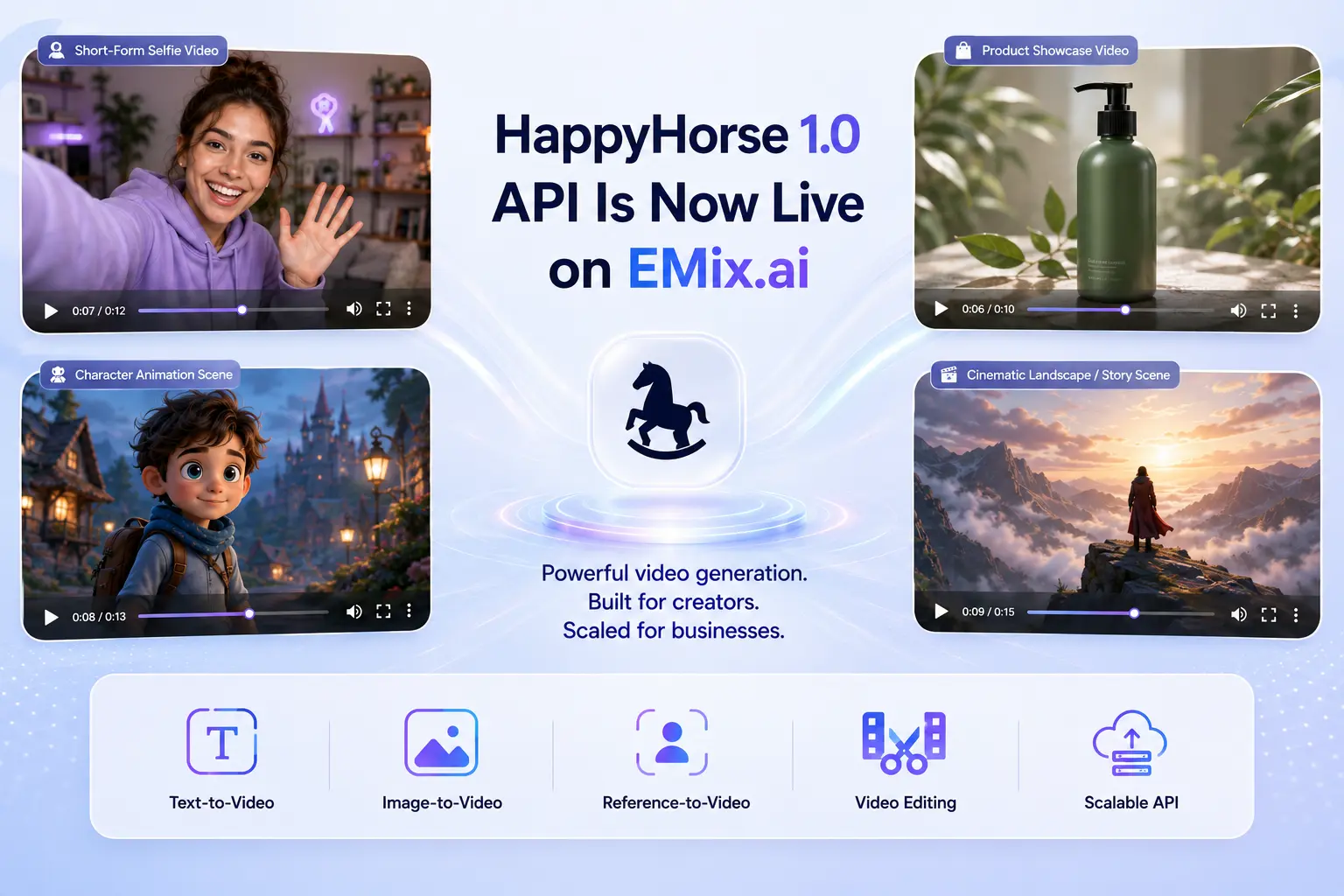
Key Features of Alibaba ATH HappyHorse 1.0 API
From Prompt Ideas to Cinematic Scenes Using HappyHorse 1.0 API
A simple prompt can become a polished video scene with subject action, camera movement, lighting, atmosphere, and visual style. HappyHorse 1.0 API helps users move from written direction to usable video drafts for social content, ad concepts, product storytelling, cinematic previews, and early creative testing.
Image Animation and Multi-Reference Control in HappyHorse-1.0 API
Existing images can play a larger role in the final video when reference-based generation is part of the workflow. HappyHorse-1.0 API can help animate portraits, product photos, character designs, brand assets, and multiple visual references while keeping subject identity, style direction, composition, and scene intent more recognizable. For exact reference limits and supported input types, check latest API docs.
Native Audio and Multilingual Video Creation via HappyHorse 1.0 API
Speech, sound effects, facial movement, and visual timing can be generated as part of a more connected video result. HappyHorse 1.0 API supports native audio-video creation and multilingual video workflows, making it useful for talking characters, product explainers, localized ads, educational clips, international campaigns, and short narrative scenes.
Multi-Shot 1080P Storytelling Powered by HappyHorse-1.0 API
Short videos become more useful when they include scene progression, clearer continuity, and sharper presentation quality. HappyHorse-1.0 API can support multi-shot video generation and 1080P output, helping creators produce storyboards, brand narratives, product sequences, campaign previews, cinematic teasers, and more polished social videos.
Refine Video Outputs Through HappyHorse 1.0 API Editing
Video editing support gives HappyHorse 1.0 API value beyond first-pass generation. Developers can build workflows that help users adjust existing clips, improve motion details, update visual elements, refine scene presentation, or continue creative iteration without restarting every video from scratch.
HappyHorse 1.0 API Multimodal Input Modes for Controlled Video Creation
Text-to-Video Generation for HappyHorse 1.0 API
Text-to-video generation allows users to create video directly from natural-language prompts. A prompt can describe the subject, action, camera movement, lighting, scene environment, visual style, mood, and pacing, making HappyHorse 1.0 API useful for social clips, ad concepts, product stories, cinematic previews, and early creative testing.
Image-to-Video Generation in HappyHorse-1.0 API
Image-to-video generation turns still visuals into moving video outputs while keeping the source image recognizable. HappyHorse-1.0 API can animate portraits, product photos, character designs, branded assets, and concept art with motion, depth, atmosphere, and camera behavior, helping existing visuals become more suitable for video-first content.
Reference-to-Video Generation with HappyHorse 1.0 API
Reference-to-video generation gives users more control when a prompt alone is not enough. HappyHorse 1.0 API can use visual references to guide subject identity, character appearance, product details, style direction, composition, and scene intent, making it suitable for brand campaigns, character-led videos, product showcases, and cinematic storyboard workflows.
Video Editing Workflows in HappyHorse-1.0 API
Video editing workflows allow users to refine existing clips instead of generating every result from scratch. HappyHorse-1.0 API can support editing-oriented use cases such as adjusting motion details, improving scene direction, updating visual elements, refining presentation quality, or continuing creative iteration from an existing video asset.
Start Testing and Deploying HappyHorse 1.0 API on EMix.ai
Get started with our product in just a few simple steps...
Step 1: Sign Up and Get Your HappyHorse 1.0 API Key
Create an EMix.ai account or log in to your existing account, then go to the API console to get your HappyHorse 1.0 API key. This key is required before you start sending video generation requests through EMix.ai.
Step 2: Test HappyHorse 1.0 API Before Integration
Use the testing environment to try HappyHorse 1.0 API with prompts, images, references, or existing video assets. Review the output quality, motion stability, audio behavior, reference control, and generation settings before connecting the API to your own product.
Step 3: Deploy HappyHorse 1.0 API into Your Application
After testing, integrate HappyHorse 1.0 API into your app, platform, or internal creative tool. You can connect it to video generation features such as prompt-to-video creation, image animation, reference-guided output, or video editing.
Step 4: Scale HappyHorse 1.0 API for Production Use
Once deployment is working, optimize your request flow, output handling, user experience, and generation logic for real usage. Check the latest API docs for production parameters, supported limits, endpoint updates, and best practices before scaling HappyHorse 1.0 API.
HappyHorse 1.0 vs Veo 3.1、 Seedance 2.0、 Kling 3.0 and Wan 2.7 for AI Video Creation
HappyHorse 1.0 API sits in a practical position among current AI video models: it focuses on text-to-video, image-to-video, reference-to-video, and video editing workflows, while keeping strong value for multi-reference control, short video continuity, and 1080P creative output. Compared with Veo 3.1, Seedance 2.0, Kling 3.0, and Wan 2.7, it is especially suitable for developers who need flexible video generation modes rather than only maximum resolution or highly specialized cinematic production.
| Comparison Area | HappyHorse 1.0 API | Veo 3.1 | Seedance 2.0 | Kling 3.0 | Wan 2.7 |
|---|---|---|---|---|---|
| Vendor | Alibaba ATH | Google DeepMind | ByteDance | Kuaishou | Alibaba |
| Core Positioning | Flexible AI video generation for text, image, reference, and editing tasks | Cinematic video generation for polished production scenes | High-quality video generation with strong motion and 4K output direction | Structured video generation with strong shot and action control | Open-source-oriented video generation for customization and deployment flexibility |
| Main Input Modes | Text, image, reference, and video editing | Text and image | Text, image, video, and multimodal references | Text, image, and video | Text, image, and video |
| Reference Control | Strong for multi-reference guidance and subject consistency | Moderate reference support | Strong multi-asset reference support | Good reference control for planned scenes | Flexible reference use depending on setup |
| Video Editing | Supported for clip refinement and iterative creation | More focused on generation than editing | Strong creative iteration support | Useful for controlled scene adjustment | Depends on local workflow and implementation |
| Audio Output | No native audio output | Native audio support | Native audio support | Partial or model-dependent | Partial or workflow-dependent |
| Resolution Direction | 1080P output | Up to 4K | Up to 4K | Up to 4K | 1080P-oriented output |
| Story Continuity | Strong for short multi-shot video structure | Excellent cinematic continuity | Excellent character and scene continuity | Good for action timing and planned movement | Good when customized for specific workflows |
| Best Fit | Creator tools, marketing clips, product visuals, image animation, and editable short videos | Brand films, cinematic ads, and high-end visual production | Narrative videos, character consistency, and high-resolution creative output | Social ads, action clips, product motion, and structured short videos | Open-source customization, private deployment, and research-oriented video workflows |
What You Can Create with HappyHorse 1.0 API On EMix.ai

Create Short-Form Social Videos Using HappyHorse 1.0 API
Creators can turn prompt ideas, images, or reference materials into short videos for social platforms. HappyHorse 1.0 API is useful for generating visually engaging clips with clear motion, stronger scene structure, and a more polished short-form presentation.

Animate Product Visuals Through HappyHorse-1.0 API
Product images can become more dynamic when they are transformed into moving video assets. HappyHorse-1.0 API can help add camera movement, motion detail, and scene atmosphere while keeping the product recognizable, making it suitable for product showcases, launch visuals, and e-commerce content.

Build Character Videos with HappyHorse 1.0 API
Character-led content often needs stable appearance, controlled motion, and consistent visual direction. HappyHorse 1.0 API can support character portraits, avatar-style videos, story scenes, and creator concepts where the subject needs to remain recognizable across generated motion.

Generate Marketing Concepts Using HappyHorse-1.0 API
Marketing teams can use HappyHorse-1.0 API to turn rough campaign ideas into video concepts faster. From ad drafts and brand teasers to product narratives and promotional scenes, the model helps explore different creative directions before moving into final production.

Develop Cinematic Storyboards with HappyHorse 1.0 API
Story concepts become easier to evaluate when they can be previewed as short moving scenes. HappyHorse 1.0 API can help create cinematic storyboards, scene tests, visual mood previews, and multi-shot concepts for writers, agencies, filmmakers, and creative teams.

Refine Existing Clips Through HappyHorse-1.0 API Video Editing
Existing videos can be improved through editing-oriented generation instead of starting every result from zero. HappyHorse-1.0 API can support workflows for adjusting motion, refining visual direction, improving scene presentation, and continuing creative iteration from an existing clip.
Why EMix.ai Works Better for HappyHorse 1.0 API Integration
Affordable HappyHorse 1.0 API Pricing
Affordable HappyHorse 1.0 API Pricing makes it easier for developers to test prompts, images, references, and video editing tasks without heavy upfront cost pressure. This gives teams a more practical way to evaluate output quality, compare generation settings, and scale usage as video creation demand grows.
Complete HappyHorse 1.0 API Documentation
Clear documentation helps developers understand HappyHorse 1.0 API requests, supported inputs, generation parameters, output handling, and integration details more efficiently. EMix.ai provides structured API guidance so teams can move from early testing to product deployment with fewer setup barriers.
Around-the-Clock Help for HappyHorse 1.0 API Integration
Video generation projects may involve upload issues, prompt behavior, model settings, output review, or production deployment questions. EMix.ai provides 24/7 assistance for HappyHorse 1.0 API users, helping developers solve problems faster and keep testing or integration work moving.
More AI Video API Models Available on EMix.ai
EMix.ai gives developers access to more AI video API models beyond HappyHorse 1.0 API, making it easier to compare different generation strengths in one place. Teams can test models for cinematic output, image-to-video animation, reference control, motion quality, and creative production needs without relying on a single video model path.