基于 GPT Image 1.5 API 的 AI 商品图像生成器
产品图生成器可调用 GPT Image 1.5 API,将单一产品图转化为多种商业场景。无论是护肤品、运动鞋、咖啡杯、蜡烛、数码设备还是各类包装商品,都能置入干净的影棚背景、生活场景表面、应季陈列、零售货架或活动主视觉海报中,同时精准保持产品的外形、标签、材质纹理及核心特征一致。
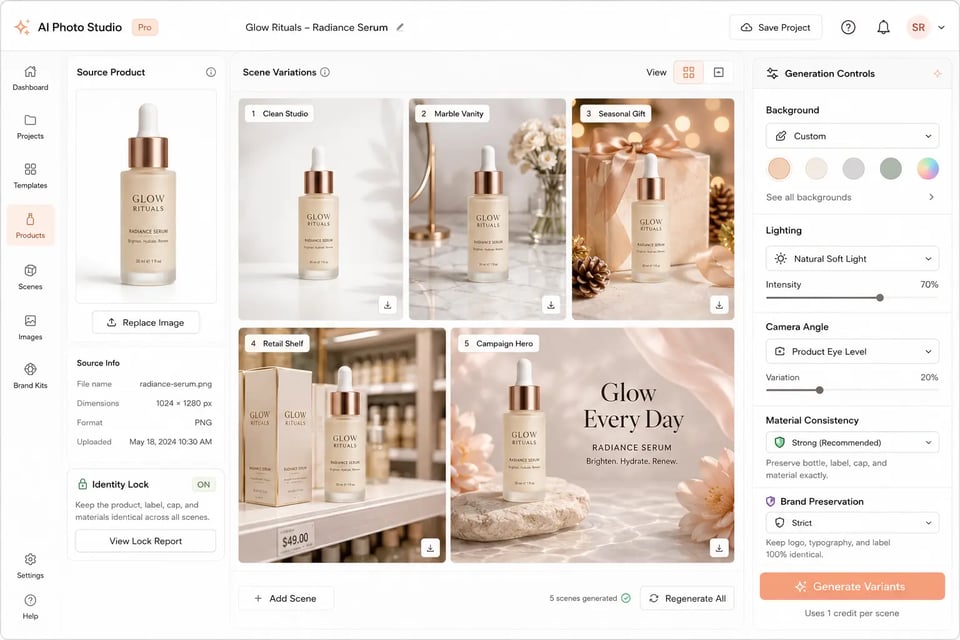
GPT Image 1.5 是 OpenAI 的一款图像生成与编辑模型,专为可控视觉创作、精准图像修改、图内可读文本、多图参考、世界感知视觉推理以及保持一致的创意输出而设计。
Drag, paste, or click to upload
JPEG · PNG · WEBP · up to 10MB · max 16 files
Upload an image file to use as input for the API
A text description of the image you want to generate
Width-height ratio of the image, determining its visual form.
Quality: medium=balanced, high=slow/detailed.
A text description of the image you want to generate
Width-height ratio of the image, determining its visual form.
Quality: medium=balanced, high=slow/detailed.
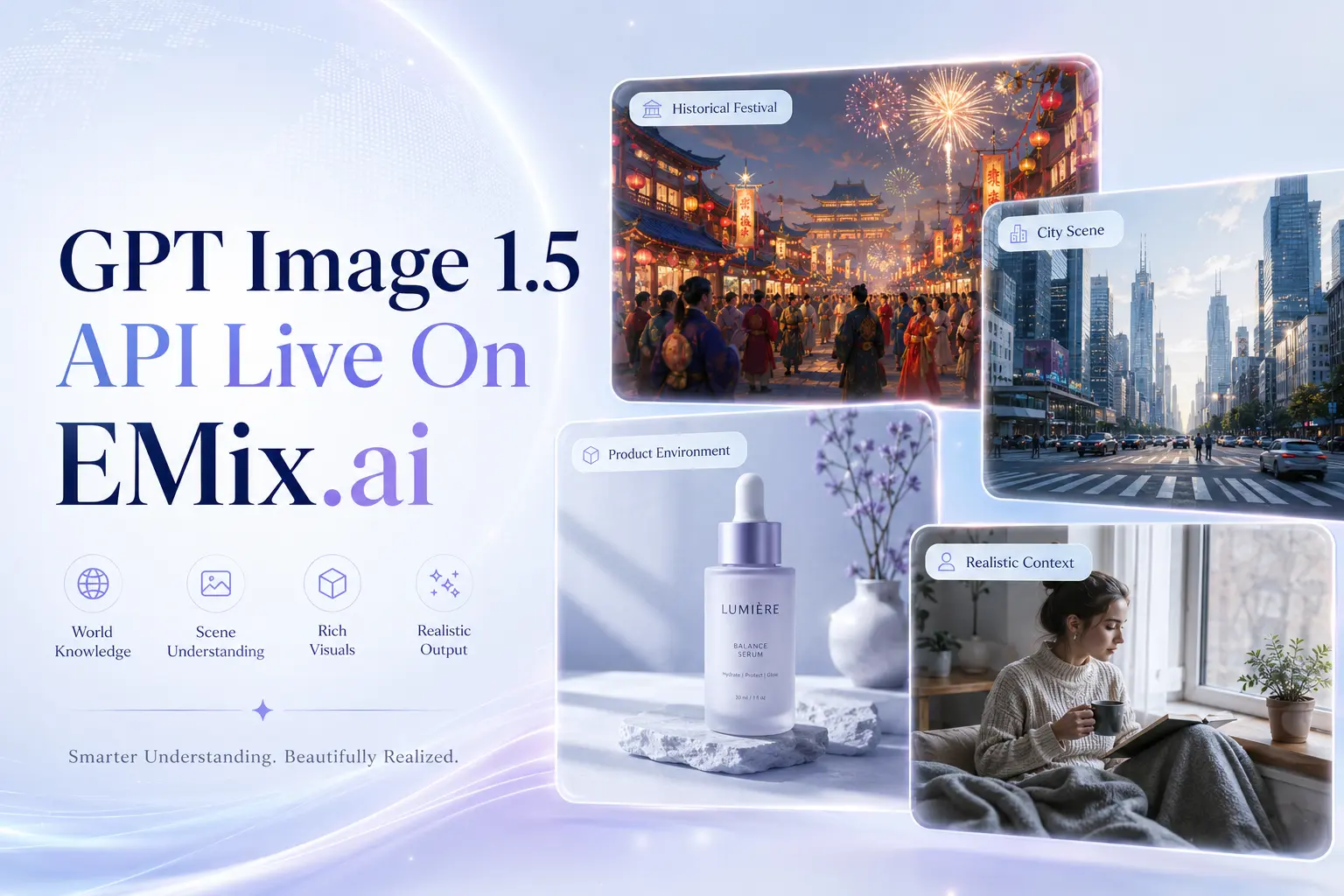
在 EMix.ai 接入 GPT Image 1.5 API,生成高精度视觉内容,实现可控的图像编辑,将您的结构化创意转化为现实。
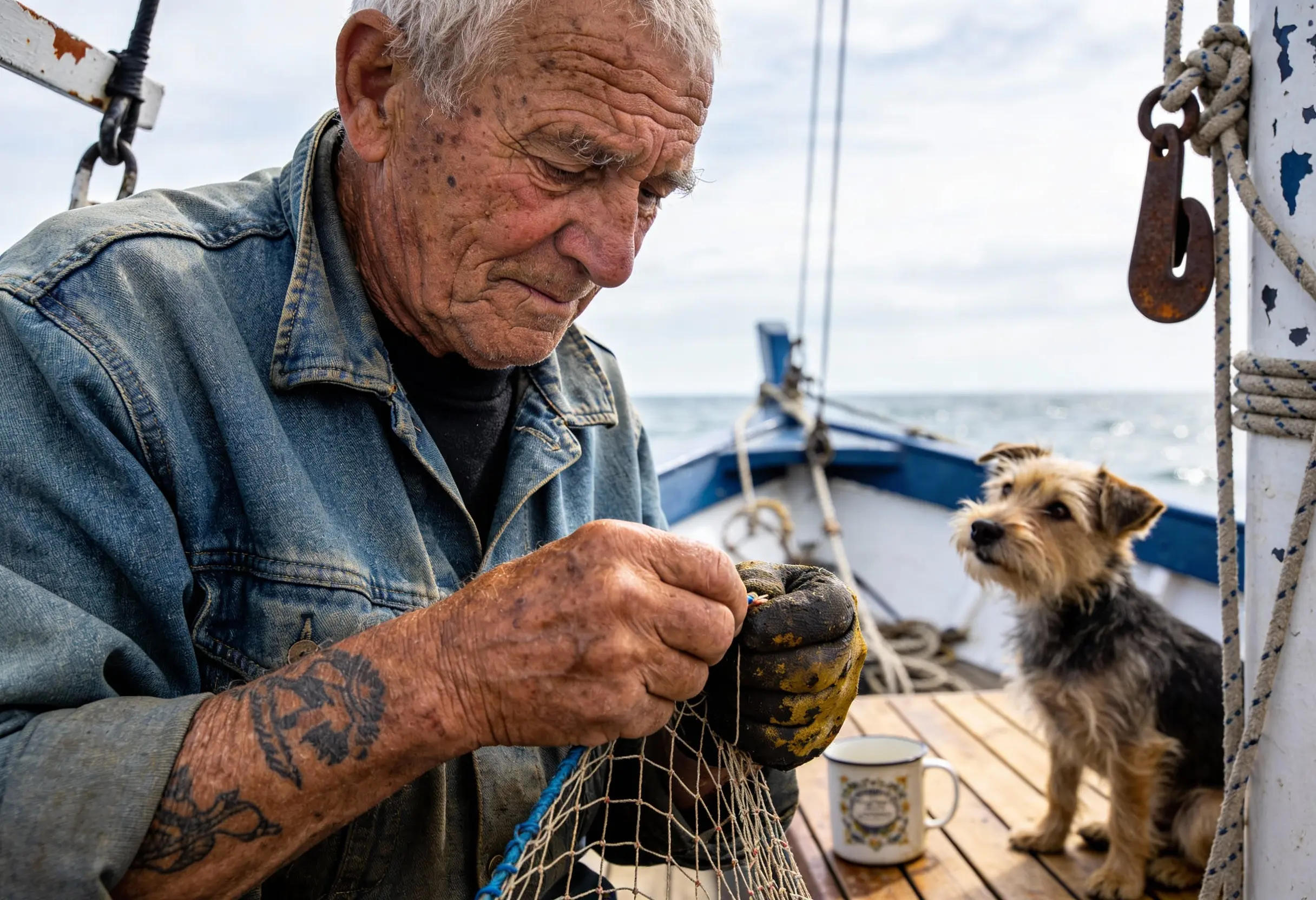
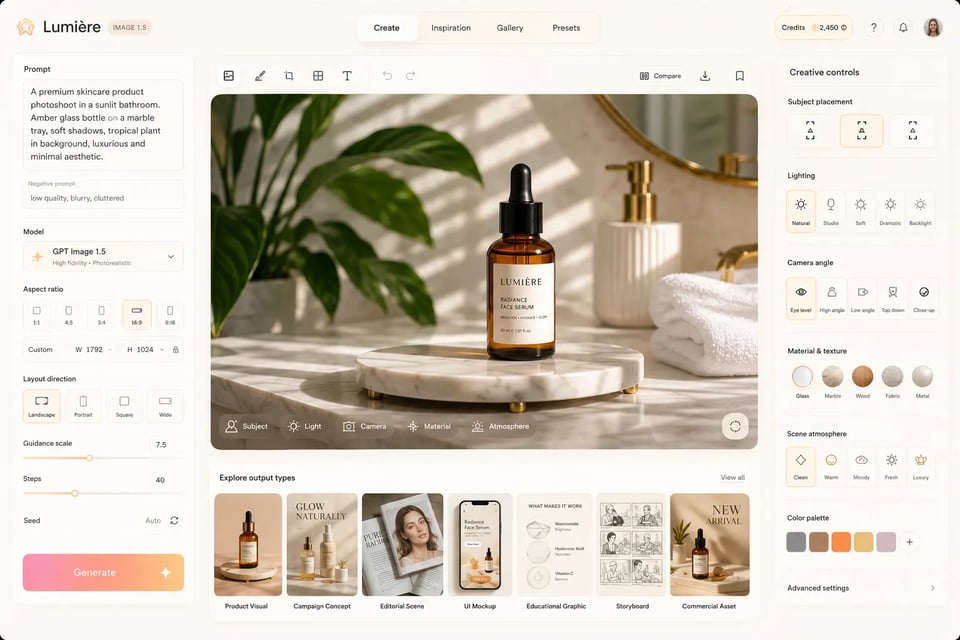
在文生图创作中,GPT Image 1.5 API 为开发者提供了高度可控的图像生成能力,完美适用于产品视觉、营销活动概念、文章配图、UI 视觉稿、教育图解、故事分镜及商业创意资产的制作。GPT Image 1.5 API 能够遵循有关主体位置、光影效果、相机视角、材质纹理、场景氛围和版式方向的指令,帮助应用输出更自然、更符合设计意图且适合实际内容生产的视觉作品。
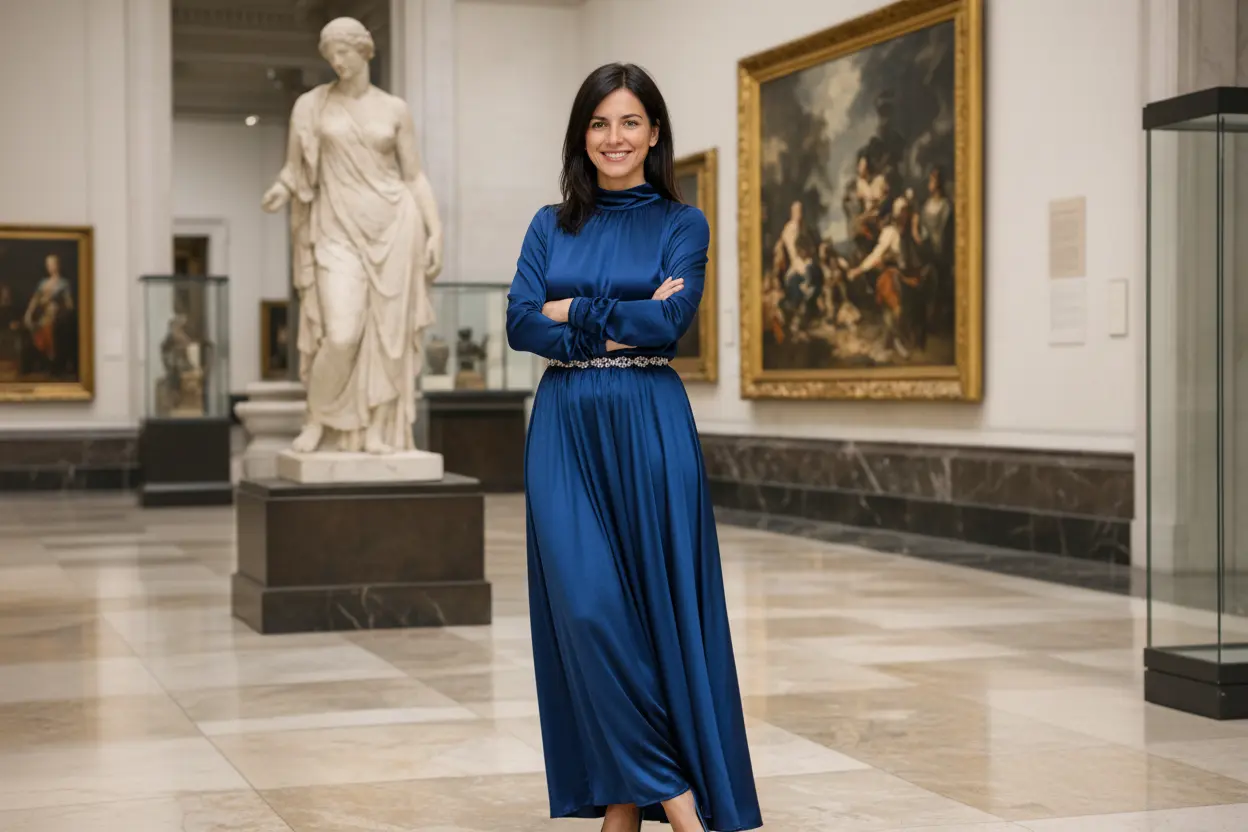
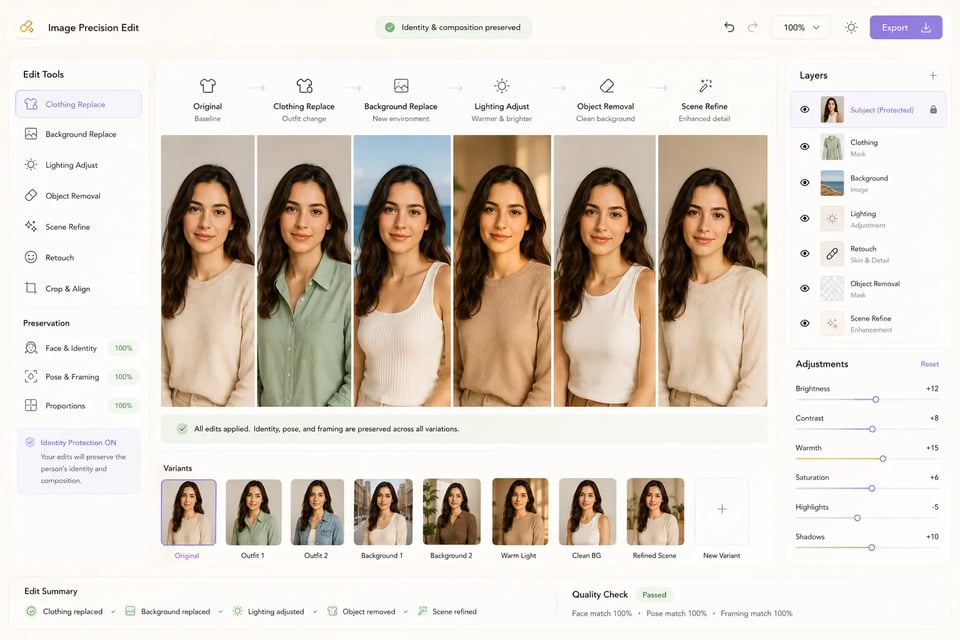
在图像编辑场景中,OpenAI GPT Image 1.5 API 可帮助开发者进行精准的视觉修改,同时完美保留无需改变的画面部分。无论是更换衣物、移除物体、替换背景、调整光影,还是优化产品场景与更新营销素材,OpenAI GPT Image 1.5 API 都能做到“指哪改哪”,且不会进行不必要的改动,从而破坏人物面部特征、产品几何外形、相机视角、画面构图以及周围的视觉环境。
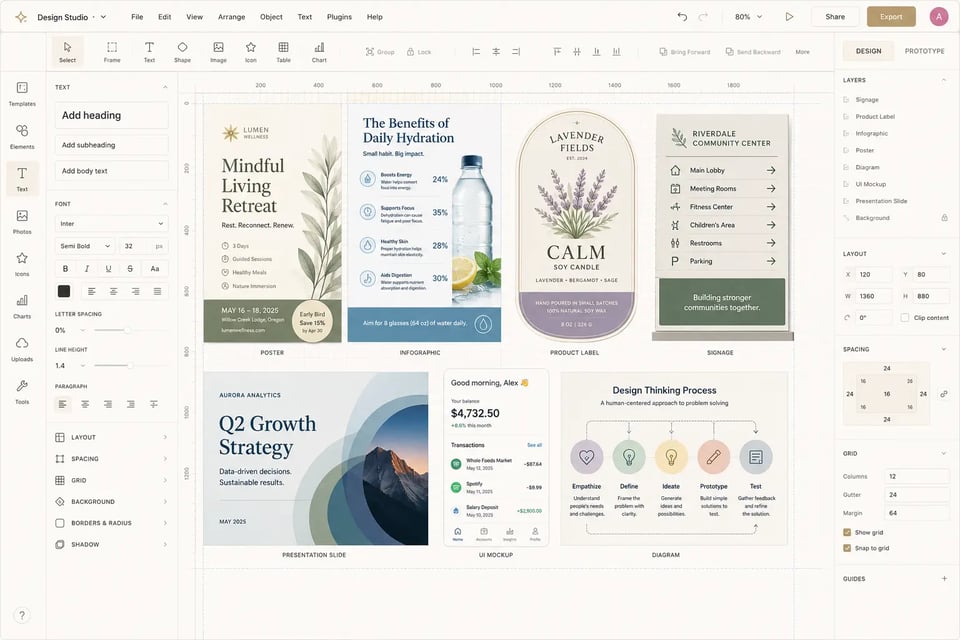
针对文字密集的创意素材,gpt-image-1.5 API 能够完美兼顾高画质与清晰可读的文本排版。在对文字准确性和排版层级要求极高的场景中——如海报制作、信息图、UI 设计图、数据图表、产品标签、指示牌、演示文稿配图及营销版式,gpt-image-1.5 API 都能轻松胜任。开发者可以自定义文案内容、字体风格、间距、排版位置及视觉层级,从而引导包含大量文本的输出内容生成更具实用性的设计成果。
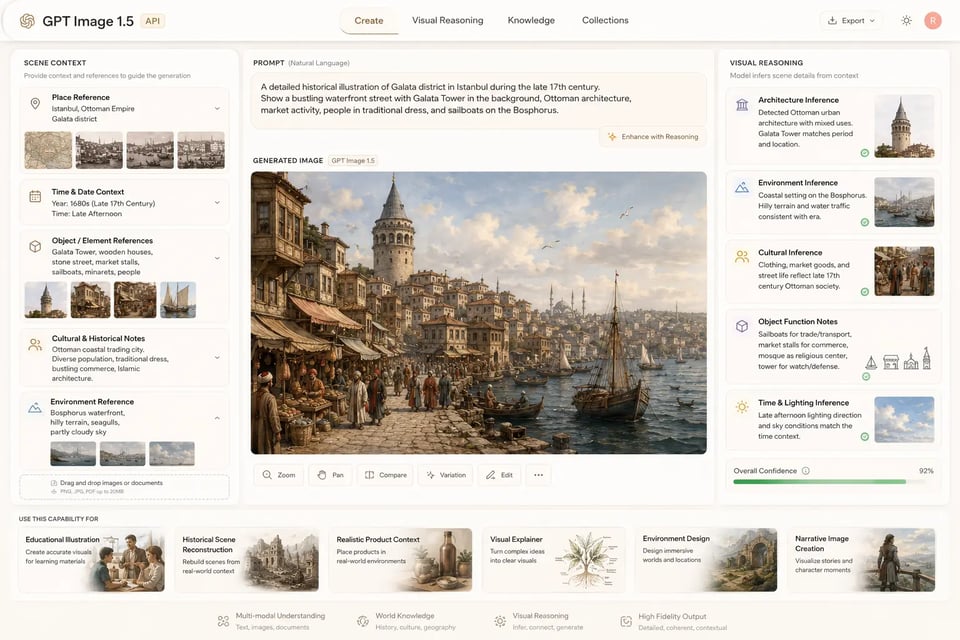
当提示词依赖现实语境时,ChatGPT Image 1.5 API 能够凭借更强的视觉推理能力,精准解析地点、日期、物体功能、文化暗示、历史设定、产品用途、技术概念及日常环境。ChatGPT Image 1.5 API 可自动推断相关的场景细节,开发者无需手动列举每一个背景元素。因此它非常适合用于教育插图、历史场景、逼真的产品环境、视觉解说、环境设计以及叙事性图像的生成。
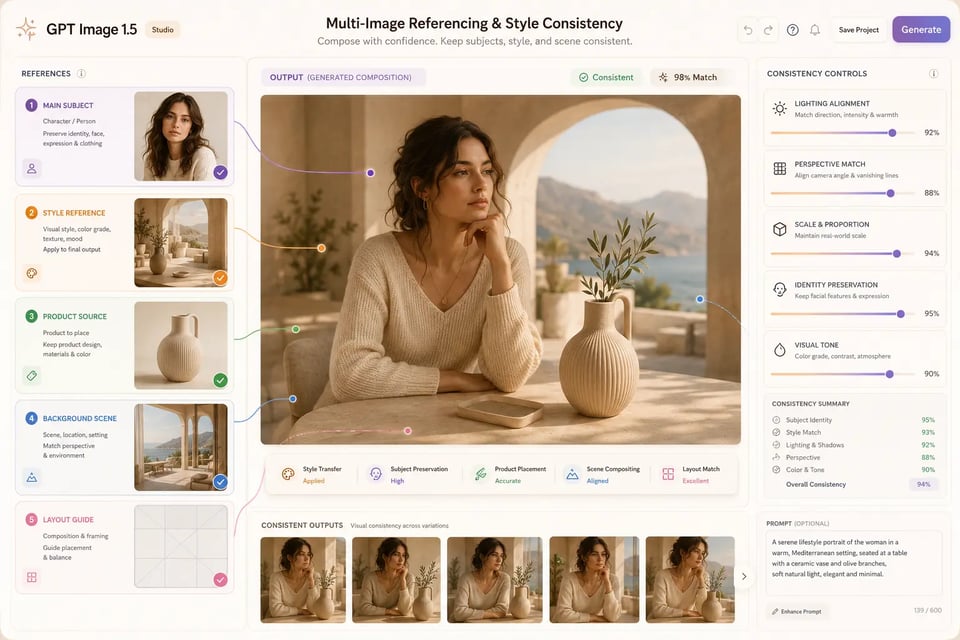
在基于参考图的生成与编辑任务中,GPT Image 1.5 API 支持多图输入,轻松实现风格迁移、主体保留、产品植入、人物连贯性、场景合成与视觉本地化。GPT Image 1.5 API 允许开发者为每张输入图像定义角色(如核心主体、风格参考、产品素材、排版参考或背景场景),并在输出结果中将各项元素完美融合,同时确保光影、透视、比例、主体身份及整体视觉基调保持高度一致。
不同的图像生成模型侧重于不同的视觉优先级。GPT Image 1.5 API 专注于可控生成、精准编辑、高可读性文本、场景感知提示词以及多图合成。相比之下,Nano Banana Pro 在高质量的写实图像输出方面表现更强,Midjourney v7 以艺术指导和极具表现力的视觉探索而闻名,而 FLUX.2 则为技术团队提供了更高的定制化与部署灵活性。下表对比了这些模型在产品视觉、营销素材、电商内容、UI 设计图、教育图文及创意制作等核心应用场景下的表现。
| 对比维度 | GPT Image 1.5 API | Nano Banana Pro | Midjourney v7 | FLUX.2 |
|---|---|---|---|---|
| Vendor | OpenAI | Midjourney | Black Forest Labs | |
| Best fit | Controlled image generation and precise editing for structured creative tasks | Photorealistic image generation with polished lighting and refined details | Artistic image creation with strong mood, composition, and visual style | Open-weight image generation with customization and deployment flexibility |
| Core strength | Strong instruction following, editing precision, text rendering, world knowledge, and multi-image control | Realistic scenes, natural lighting, product shots, portraits, and high-end visual finish | Expressive aesthetics, dramatic compositions, fantasy visuals, mood boards, and concept art | Custom styles, fine-tuning, private deployment, and model-level flexibility |
| Editing control | Strong for targeted edits that preserve identity, layout, lighting, product structure, and composition | Useful for realistic image adjustments where visual polish matters | Less focused on exact preservation or step-by-step production edits | Depends on model setup, editing pipeline, and supporting tools |
| Text rendering | Better suited for posters, UI mockups, labels, infographics, signage, and structured visuals with readable text | Can support designed visuals, but exact wording and dense text may require more review | Usually weaker for exact text and production-ready typography | Text quality depends heavily on configuration and workflow design |
| World knowledge | Can infer visual context from places, dates, events, object functions, product usage, and real-world scenarios | Strong for realistic visual grounding and polished scene construction | More focused on aesthetic interpretation than factual or contextual reasoning | Depends on model variant, prompting strategy, and connected tooling |
| Photorealism | Strong realism with more control over prompt details, layout, and edits | Especially strong for realistic lighting, surfaces, portraits, products, and cinematic scenes | Can create cinematic realism, often with a more stylized finish | Can be strong with the right setup, but may require tuning |
| Artistic direction | Useful for controlled styles, branded visuals, and consistent creative systems | Good for polished commercial imagery and realistic campaign visuals | Strongest for dramatic style, surreal concepts, expressive composition, and visual exploration | Strong when teams need custom-trained aesthetics or specialized styles |
| Multi-image use | Suitable for compositing, style references, product placement, character continuity, and visual localization | Useful for reference-based realistic outputs and product-style scenes | Strong for inspiration and visual style exploration, weaker for exact preservation | Flexible, but implementation depends on the surrounding pipeline |
| Production fit | Ecommerce visuals, UI mockups, infographics, virtual try-on, localization, product edits, and creative tools | Product scenes, lifestyle imagery, realistic marketing assets, and campaign visuals | Concept art, brand mood exploration, posters, visual ideation, and expressive creative direction | Private deployments, custom pipelines, fine-tuned styles, and specialized visual systems |
只需简单几步,即可快速上手我们的产品...
创建 EMix.ai 账号,登录控制台,进入 API 密钥管理界面。生成 GPT Image 1.5 API 密钥。在开始开发前,请确认模型名称、鉴权方式、可用额度以及访问权限。对于团队协作项目,建议将测试密钥与生产环境密钥分开配置,以便更轻松地进行用量追踪、代码调试和权限管理。
在编写生产环境代码前,请使用 EMix.ai Playground 测试 GPT Image 1.5 API。开发者可以在可视化测试环境中,调试文生图提示词、图像编辑输入、参考图、文本渲染任务、宽高比及质量设置。Playground 测试有助于团队对比提示词结构、检验输出稳定性、评估编辑精度,从而确定最终集成所需的请求配置。
完成 Playground 测试后,将选定的配置转化为可部署的 API 请求。在请求体中设置好提示词、模型名称、输入图片 URL 或上传的参考图、宽高比、质量选项、输出格式以及回调配置(若支持)。针对图像编辑工作流,请提供清晰的指令,明确指定需要修改与必须保持不变的部分(例如主体特征、产品形态、版式结构、光影、背景或文本位置)。
将 GPT Image 1.5 API 接入应用后端、创意编辑器、电商系统、营销工具或内部生产流程。开发者需妥善处理安全认证,通过 EMix.ai 接口提交图像生成或编辑任务;异步执行时需保存返回的任务 ID,并通过状态轮询或回调获取最终的图像结果。部署阶段,请务必增加对提示词长度、输入图像格式、不支持的参数以及任务失败响应的校验逻辑。
部署完成后,请持续监控生产环境下的 GPT Image 1.5 API 调用量、输出质量、错误率、额度消耗及用户行为。生成或编辑的图像可展示在产品界面,保存至媒体库,传入审核系统,或用于电商与营销工作流。上线前后,请随时查阅最新的 EMix.ai API 文档,获取当前参数、响应字段、回调机制、结果处理规则及集成更新。
产品图生成器可调用 GPT Image 1.5 API,将单一产品图转化为多种商业场景。无论是护肤品、运动鞋、咖啡杯、蜡烛、数码设备还是各类包装商品,都能置入干净的影棚背景、生活场景表面、应季陈列、零售货架或活动主视觉海报中,同时精准保持产品的外形、标签、材质纹理及核心特征一致。
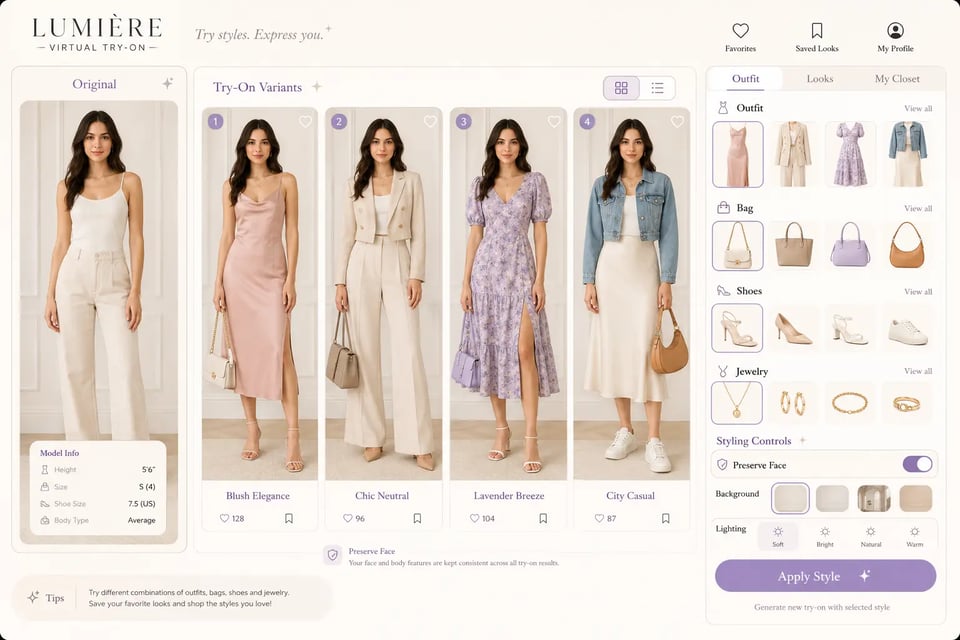
时尚穿搭与造型功能可调用 OpenAI GPT Image 1.5 API,将服饰、鞋履、箱包、珠宝或配饰合成到上传的人物照片上。在替换所选穿搭或配饰时,人物的面部、发型、姿态、体型、肤色、光影和拍摄角度均能保持稳定,使生成结果非常适用于穿搭预览与个性化购物体验。
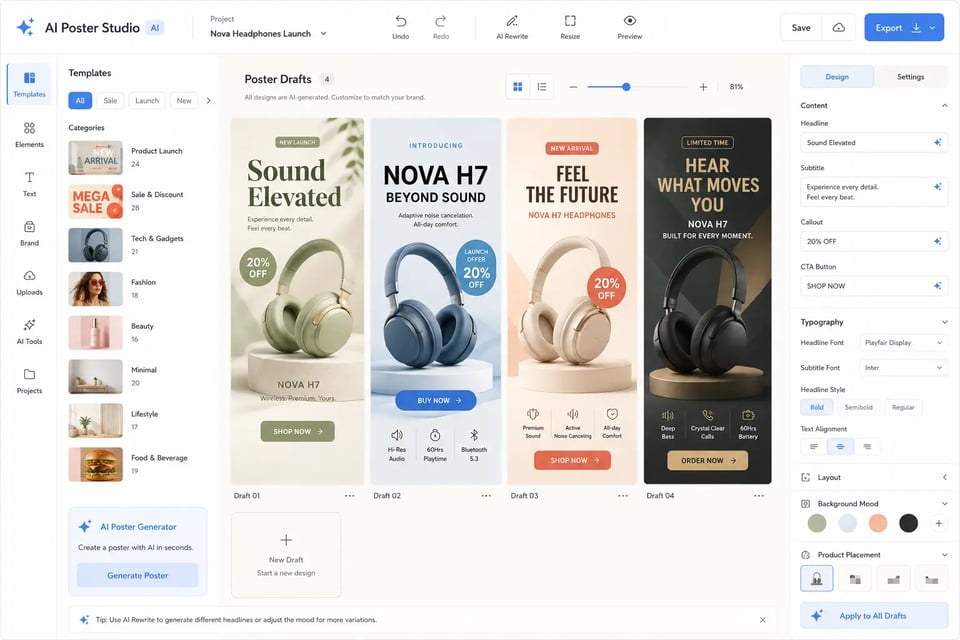
在营销视觉设计方面,gpt-image-1.5 API 能够生成图片内带有可读文本的海报、促销 Banner、活动配图、新品发布主视觉及社交媒体营销图。开发者可精确自定义主标题、副标题、卖点文案、排版风格、视觉层级、产品位置与背景氛围,从而生成更接近实际商业用途的海报初稿。
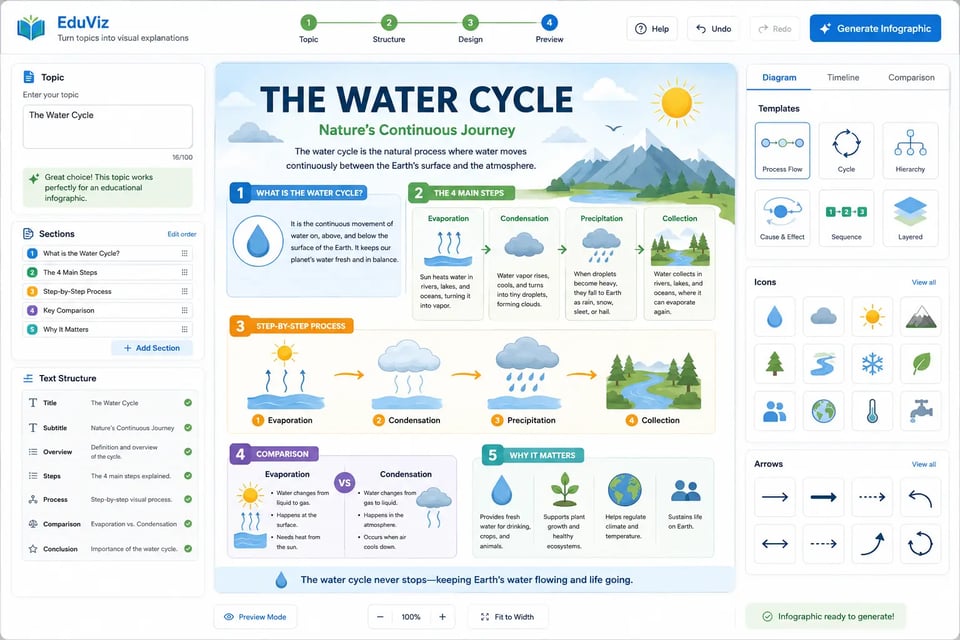
教育与内容类产品可借助 ChatGPT Image 1.5 API,将特定主题转化为结构化的视觉解析。该功能支持生成带有清晰易读的文本、图标、箭头、区块及有序排版层级的标注图表、流程图、对比图、时间轴、技术说明图、产品教学图以及分步指南。
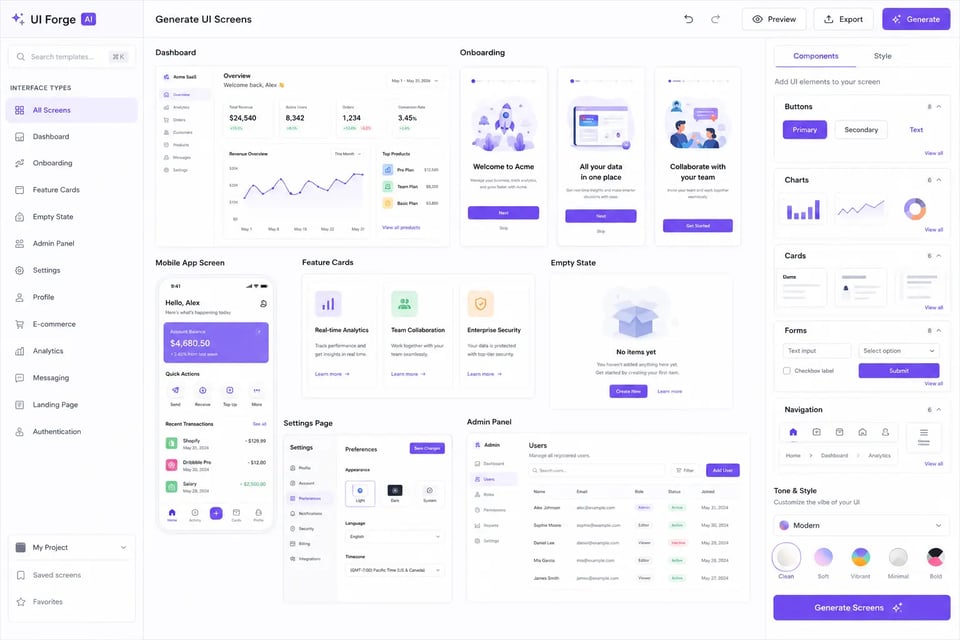
产品团队可利用 GPT Image 1.5 API 生成逼真的应用界面、网页版块、仪表盘预览、新手引导页、移动端 UI、功能卡片、空状态及管理后台。提示词可用于描述导航、按钮、图表、表单、卡片、界面文案、排版间距及视觉基调,帮助团队在产出完整设计文件前构建产品预览图。
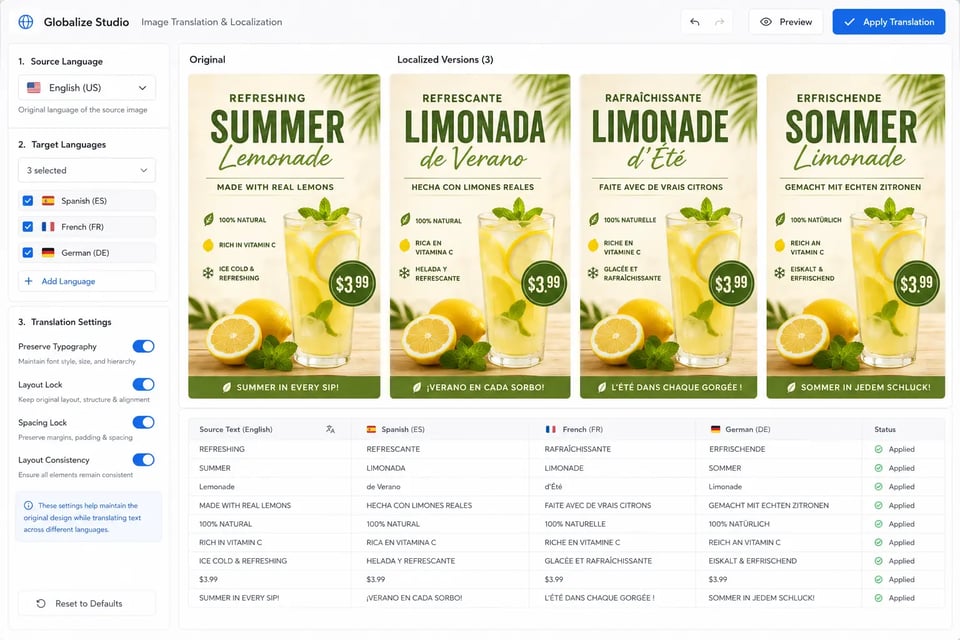
本地化功能可调用 OpenAI GPT Image 1.5 API,在保留原始设计的前提下替换图像中的文本。海报、菜单、信息图表、包装预览、招牌、应用截图或营销物料均可翻译为另一种语言,同时保持排版间距、字体风格、画面平衡、周边元素及布局方向的一致。
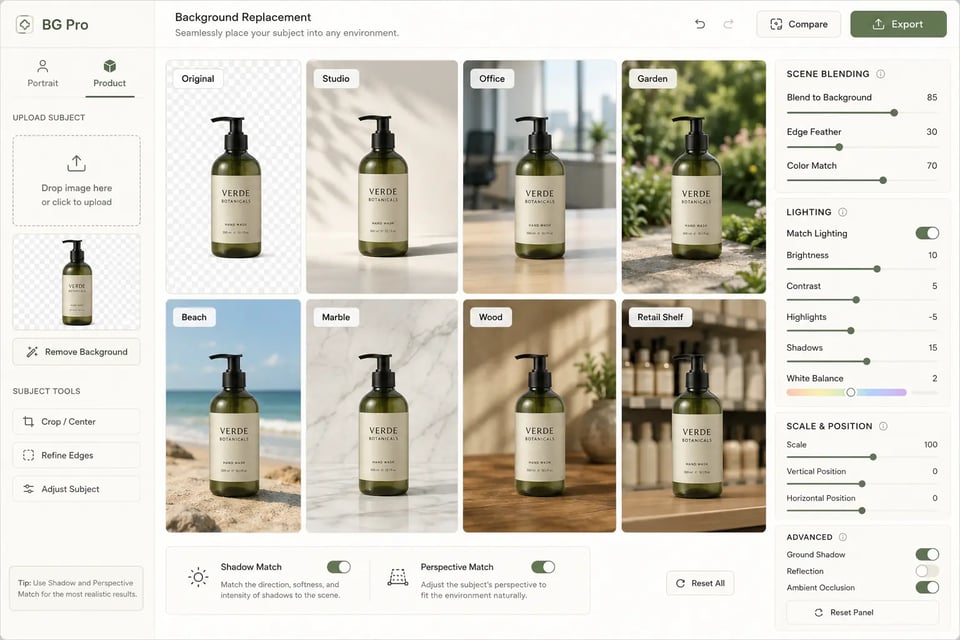
背景编辑功能可利用 GPT Image 1.5 API,在不重新生成整张图片的情况下,将主体或产品无缝融入新环境。人像可置于影棚、办公室、花园、城市街道或海滩场景中;产品可自然放置于大理石、木材、布料、货架或生活化台面上。光影、透视与比例均可智能匹配,呈现出更加自然逼真的视觉效果。
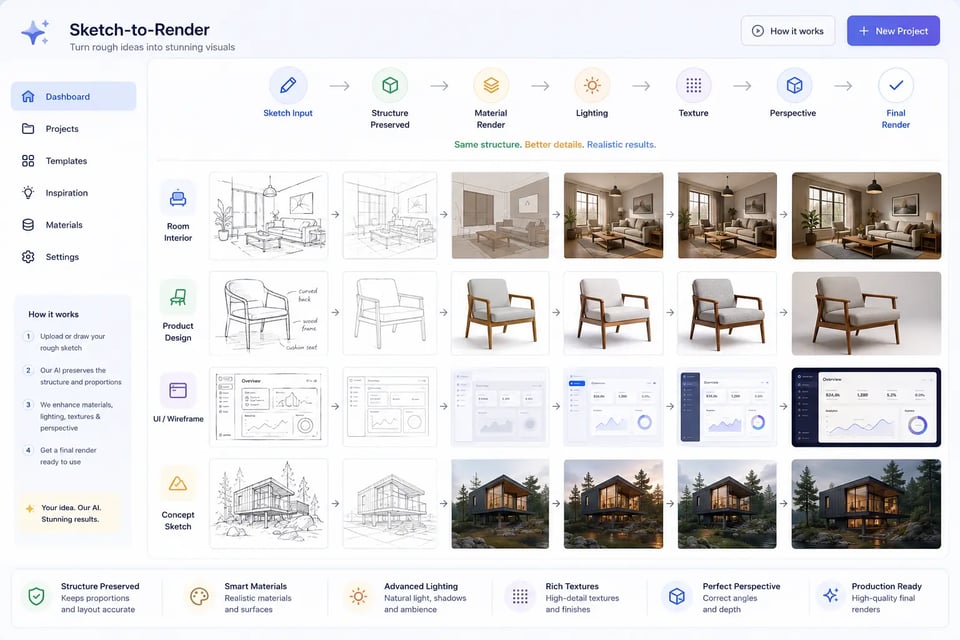
概念设计功能可通过 ChatGPT Image 1.5 API,将粗略草图、线框图、手绘布局、室内草图、产品轮廓或初期视觉创意转化为精美效果图。在保留原有结构、比例和透视关系的同时,自动添加逼真的材质、光影、纹理和背景细节,呈现出更加完善的展示效果。
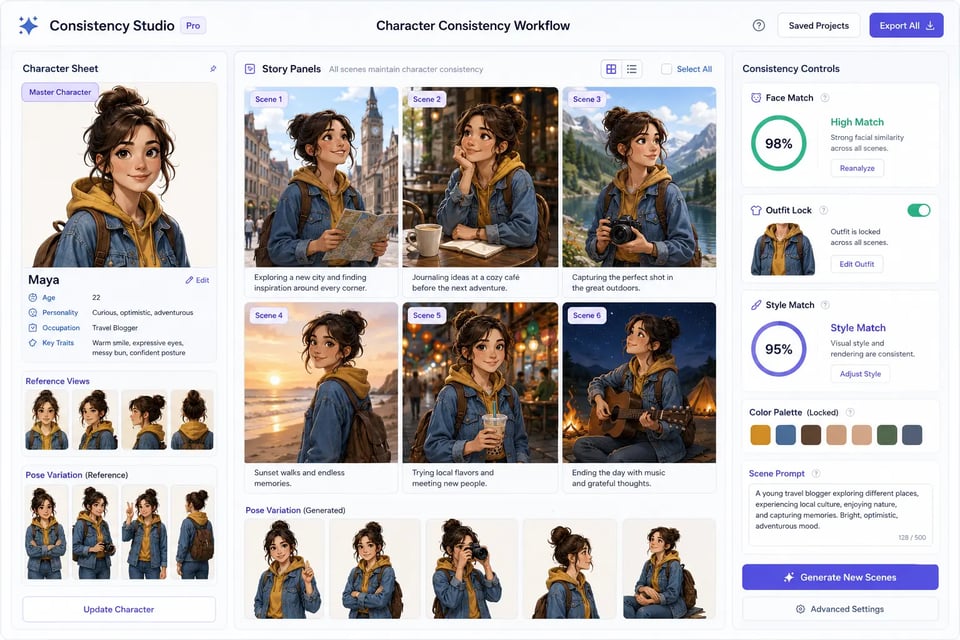
故事创作类产品可利用 GPT Image 1.5 API,在多场景、多页面、不同姿势或分镜中保持同一角色的高度一致性。创作者只需定义一次角色,即可在后续生成的图像中,保持脸型、穿搭、配色、插画风格和个性特征不变,同时自由切换背景、动作、摄像机视角或故事情节。
EMix.ai makes GPT Image 1.5 API more practical for teams that need frequent prompt testing, image editing trials, reference-image experiments, and production usage. Developers can use a credit-based system to compare prompts, quality settings, editing tasks, and output needs before scaling. This helps teams keep GPT Image 1.5 API experimentation flexible while making usage easier to review and control.
Before writing production code, developers can test GPT Image 1.5 API directly in the EMix.ai Playground. Text-to-image prompts, image editing instructions, reference images, text rendering tasks, quality settings, and output behavior can be reviewed in a visual testing space. This makes it easier to refine prompts, compare results, and decide which settings should move into the final API integration.
Complete GPT Image 1.5 API documentation on EMix.ai helps developers understand authentication, request structure, model configuration, input requirements, response fields, task behavior, result retrieval, and integration notes. Instead of relying on trial and error, teams can follow a clearer implementation path from API key setup to production deployment. Before launch, developers should check the latest API docs to confirm current parameters and supported options.
EMix.ai provides 24/7 service for developers working with GPT Image 1.5 API integration. Teams can get help with API access, Playground testing, request setup, image input handling, result retrieval, error responses, and production usage questions. This support is useful when moving from early testing to real image features such as product photo generation, visual localization, background editing, poster creation, and UI mockup generation.