The text prompt or description for the video.
Drag, paste, or click to upload
JPEG · PNG · WEBP · JPG · GIF · up to 30MB · max 9 files
A list of input image URLs.
Drag, paste, or click to upload
MP4 · QUICKTIME · X-MATROSKA · up to 50MB · max 3 files
A list of input video URLs. Furthermore, the total length of the three videos must not exceed 15 seconds.
Drag, paste, or click to upload
MPEG · WAV · up to 15MB · max 3 files
A list of input audio URLs. Furthermore, the total length of the three audios must not exceed 15 seconds.
Whether to generate AI audio synchronized with the video.
The output video resolution.
The aspect ratio of the generated video.
Video duration in seconds.
Use online search
A configurable parameter. Defaults to true in the Playground.
The text prompt or description for the video.
Drag, paste, or click to upload
JPEG · PNG · WEBP · JPG · up to 30MB · max 9 files
A list of input image URLs.
Drag, paste, or click to upload
MP4 · QUICKTIME · X-MATROSKA · up to 50MB · max 3 files
A list of input video URLs. Furthermore, the total length of the three videos must not exceed 15 seconds.
Drag, paste, or click to upload
MPEG · WAV · X-WAV · AAC · MP4 · OGG · up to 15MB · max 3 files
A list of input audio URLs. Furthermore, the total length of the three audios must not exceed 15 seconds.
Whether to generate AI audio synchronized with the video.
The output video resolution.
The aspect ratio of the generated video.
Video duration in seconds.
Use online search
A configurable parameter. Defaults to true in the Playground.
Seedance 2.0 API:用于逼真人物与多模态视频生成
在 EMix.ai 上调用 Seedance 2.0 API 和 Seedance 2.0 Fast API,通过提示词、图片、音频及参考素材创作逼真的人物视频与电影级短片内容。
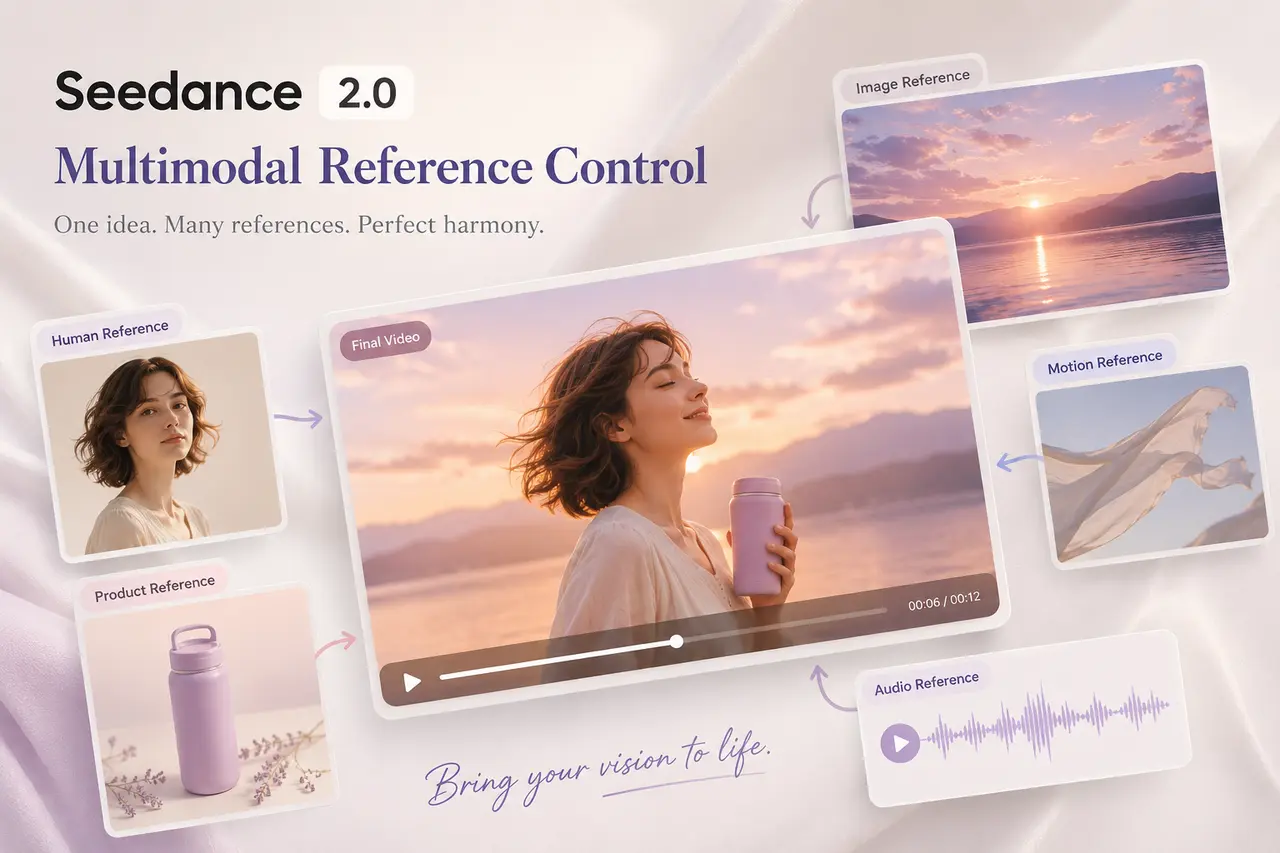
为您的工作流选择合适的 Seedance 2.0 API 模型
Seedance 2.0 是 ByteDance 的多模态视频生成模型,用于生成动态稳定、主体一致、人物细节逼真且音视频高度契合的可控短视频。EMix.ai 针对不同的生产优先级提供了两种 API 选项:侧重于高质量生成的 Seedance 2.0 API,以及专为快速测试与创意迭代设计的 Seedance 2.0 Fast API。在制作逼真的人物视频、产品演示、社交短片、品牌视觉或自动化创意工具之前,团队可以选择最符合自身工作流的版本。
Seedance 2.0 API
当工作流需要更高的输出质量、更稳定的参考控制和精细的电影级效果时,Seedance 2.0 API 是更优之选。它适用于逼真人物视频生成、商业产品场景、品牌营销活动、短片叙事、音乐视觉及其他专业生产场景——在这些场景中,动作的稳定性、主体的一致性与视觉细节比快速生成草稿更为重要。
Seedance 2.0 Fast API
Seedance 2.0 Fast API 专为提速生成与高效创意迭代而设计。在将选定的创意通过 Seedance 2.0 API 进行精细化制作前,它非常适合用于提示词测试、早期概念探索、社交内容试水、草稿视频生成及工作流验证。对于需要对比多个视频方向的团队,Seedance 2.0 Fast API 能够显著减少等待时间,同时确保工作流始终留在同一个 Seedance 2.0 模型系列中。
EMix.ai 平台上 Seedance 2.0 API 与 Seedance 2.0 Fast API 的多模态输入控制
Seedance 2.0 API 与 Seedance 2.0 Fast API 为AI视频生成提供灵活的多模态输入控制。开发者可以使用文本提示词、图像参考、视频参考和音频参考,来引导角色身份、动作、镜头节奏、视觉风格及音视频氛围。Seedance 2.0 API 适用于高品质的电影级输出、逼真人像视频和更可控的生产工作流;而 Seedance 2.0 Fast API 则适用于快速测试、加快草稿生成及快速创意迭代。有关具体支持的格式、参考限制、参数名称、模型选项及输入要求,请查阅最新的 EMix.ai API 文档。
Seedance 2.0 API 与 Seedance 2.0 Fast API 的文本提示词输入
文本提示词输入是使用 Seedance 2.0 API 或 Seedance 2.0 Fast API 开始视频生成最直接的方式。用户可以使用自然语言描述主体、动作、场景、光影、运镜、视觉风格和输出限制,让模型直接根据文字指令生成完整的短视频。Seedance 2.0 Fast API 可用于快速探索提示词,而 Seedance 2.0 API 则更适合对精选创意进行深度打磨,以输出具有电影级质感的高品质画面。
Seedance 2.0 视频生成:图片参考输入
图片参考输入让用户能够将静态图像转化为生成的视频,并具备可控的运动与更强的视觉连贯性。一张产品图可以变成动态演示,一张人物肖像能引导逼真的人物动画,而一张场景图则可定义背景、光影与构图。团队可以使用 Seedance 2.0 Fast API 快速测试图生视频的方向,并在最终成品需要更丰富的细节、更高的稳定性和专业制作水准时使用 Seedance 2.0 API。
基于 Bytedance Seedance 2.0 API 的视频参考输入
视频参考输入有助于基于现有片段引导运动、镜头节奏、动作风格或视觉过渡。Bytedance Seedance 2.0 API 可利用视频参考理解主体的运动方式、镜头对场景的跟随方式,或特定特效随时间的演变过程。对于需要对比多种运动方向的团队,Seedance 2.0 Fast API 可支持更快速的迭代;而当选定的参考方向需要更精细的电影级画面输出时,则可使用 Seedance 2.0 API。
Seedance 2.0 AI API 工作流的音频参考输入
在生成的视频工作流中,音频参考输入可引导节奏、基调、氛围或声音方向。Seedance 2.0 AI API 可利用音乐、人声、环境音或音效来帮助塑造场景张力与音画节奏,使最终片段更贴合预期的声音设计。这种输入方式非常适用于 MV、对话驱动的场景、卡点社交内容、宣传片,以及注重音画对齐的逼真人像视频工作流。
Seedance 2.0 API 模型如何提升视频控制力与生成质量
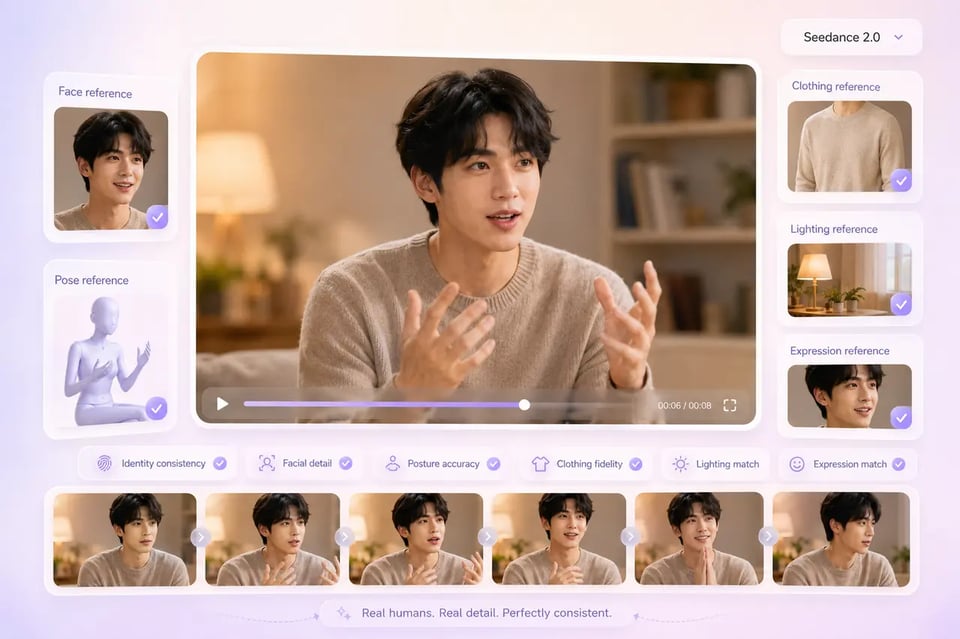
Seedance 2.0 API 生成中的逼真人像细节
人像视频的质量取决于稳定的身份特征、真实可信的动作以及帧间一致的视觉细节。Seedance 2.0 API 能够有效保持面部结构、身体姿态、服装一致性、光影表现和自然表情,在需要整个视频片段保持外观与动作连贯时,使以人像为核心的生成更加稳定可靠。
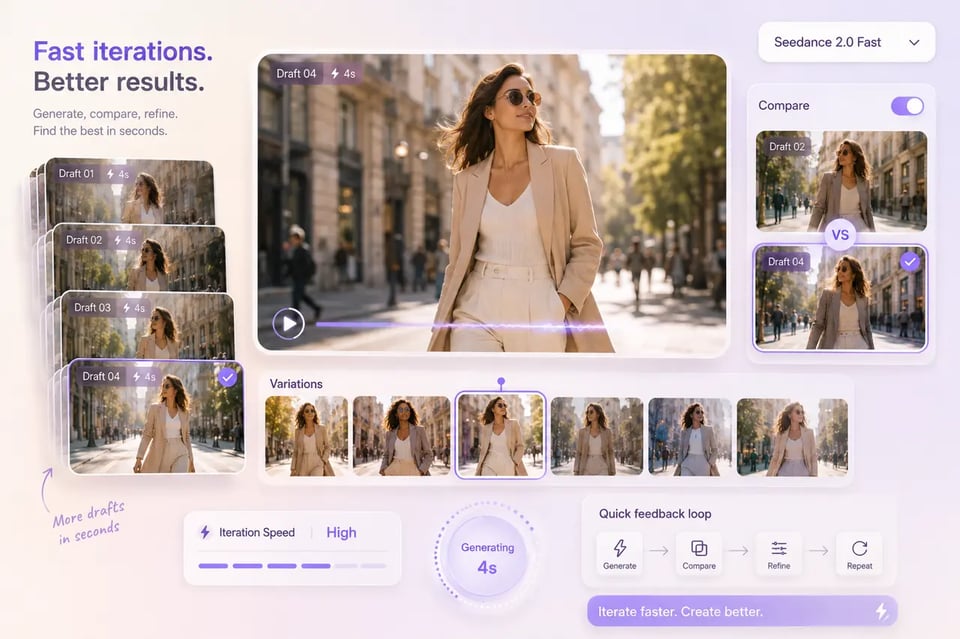
Seedance 2.0 Fast API 针对高频迭代的速度优势
当开发者需要快速评估多组提示词、参考组合及方向调整时,快速生成便显得尤为重要。Seedance 2.0 Fast API 缩短了早期测试的反馈周期,帮助团队对比输出结果并优化生成逻辑,然后再将筛选出的结果移入更注重质量的工作流中。
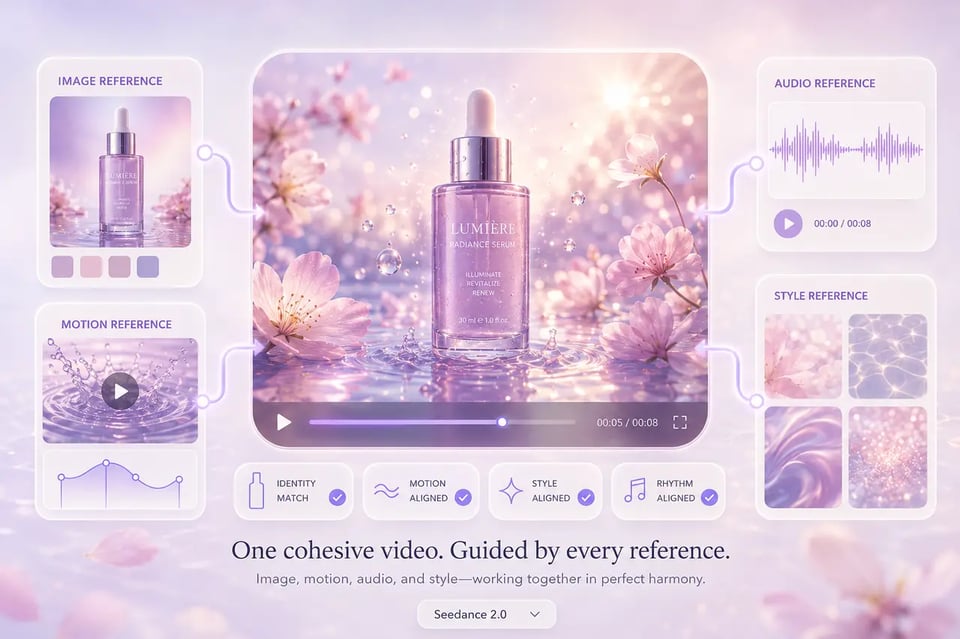
Bytedance Seedance 2.0 API:跨多模态输入的参考控制
强大的参考理解能力,让 Bytedance Seedance 2.0 API 工作流比单纯的提示词生成更具掌控力。视觉、运动及音频参考能够引导主体特征、镜头节奏、场景结构、风格走向与视听基调,有效减少输出结果的随机偏移,更好地契合预期效果。
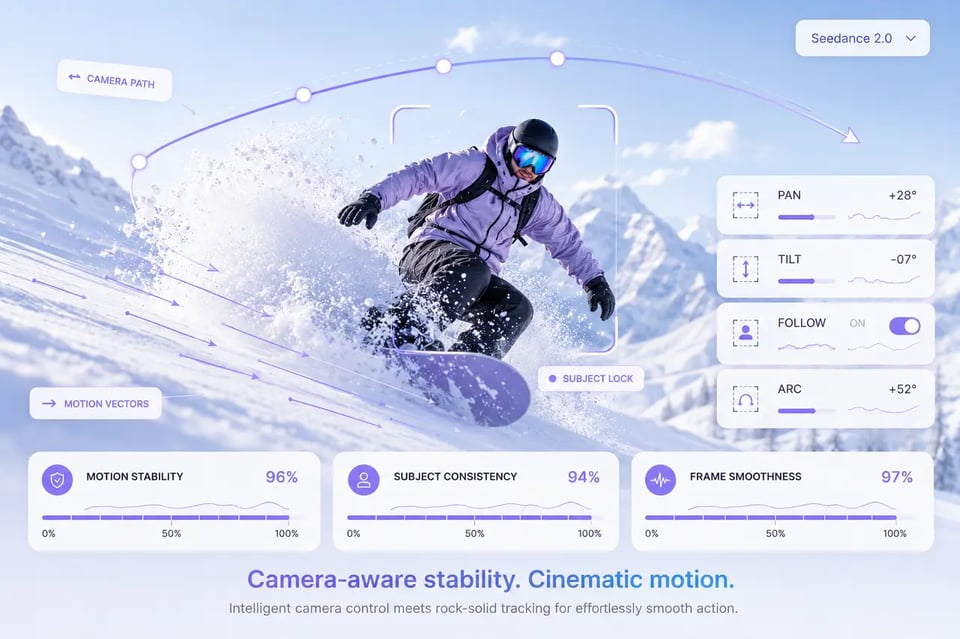
Seedance 2 API 工作流:具备镜头感知力的运动稳定性
连贯的运动轨迹让生成的视频更具掌控感且减少偶然性。在涉及画面运动、画幅变化或动态运镜的场景中,Seedance 2 API 工作流能够支持更流畅的主体动作、更清晰的动作卡点、易读的转场过渡,以及基于镜头感知的更强构图。
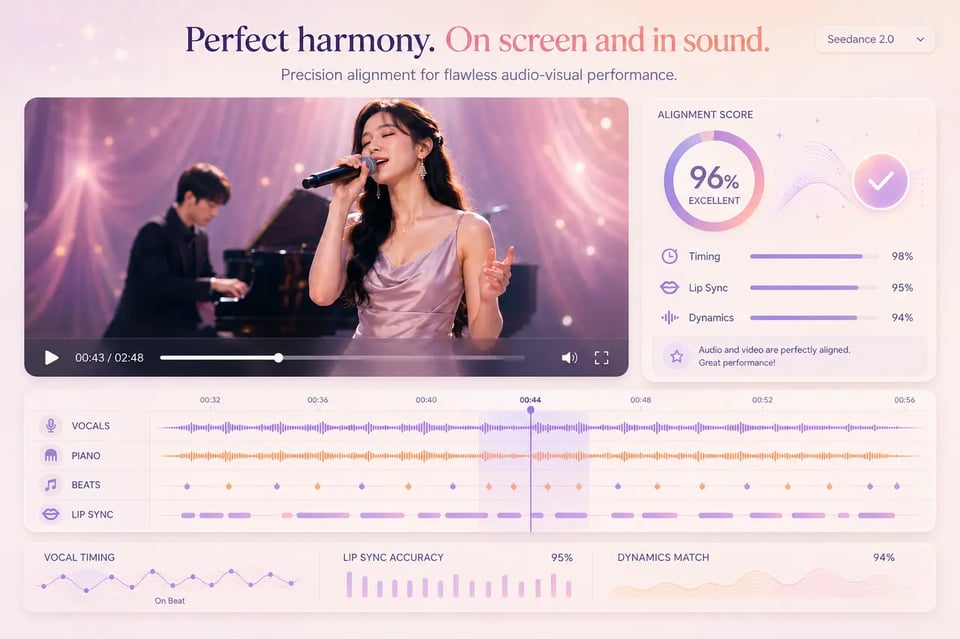
Seedance 2.0 AI API:跨视频输出的音画对齐
音画协同全面提升了整体生成效果。Seedance 2.0 AI API 工作流能够将节奏、氛围、人声、运动、步调与场景张力无缝结合,让视觉与听觉不再割裂,呈现出浑然一体的视听体验。
Seedance 2.0 与主流 AI 视频模型对比
Seedance 2.0、Gemini Omni、Veo 3.1 和 Kling 3.0 在 AI 视频生成领域各有侧重。Seedance 2.0 专注于运动表现、逼真的人物视频、多模态参考控制,并通过其标准版和 Fast 版实现更快的迭代。Gemini Omni 将 Google 更广泛的多模态能力引入视频创作,在对话式编辑、提示词理解和原生音视频生成方面极具优势。Veo 3.1 侧重于精美的电影级细节和强大的参考一致性,而 Kling 3.0 则以结构化场景控制、角色元素和多镜头规划工作流见长。下方的对比将为您展示这些模型在视频质量、控制能力、运动表现以及创作契合度方面的差异。
| 对比维度 | Seedance 2.0 | Gemini Omni | Seedance 2.0 Fast | Veo 3.1 | Kling 3.0 |
|---|---|---|---|---|---|
| Vendor | ByteDance | ByteDance | Google DeepMind | Kuaishou | |
| Best Fit | Quality-focused AI video generation with strong motion, multimodal references, realistic human scenes, and subject-level realism | Conversational multimodal video creation, in-context editing, native audio, and prompt-driven creative refinement | Faster draft generation, prompt testing, and high-frequency creative iteration | Cinematic video generation with strong reference consistency, polished scene detail, and integrated audiovisual strengths | Structured video creation with explicit shot control, character elements, and configurable generation behavior |
| Motion Quality | Strong at fluid motion, physical interaction, action scenes, and camera movement | Smooth and cinematic, especially for controlled scene movement and atmospheric shots | Good for simpler or cleaner motion scenes where fast iteration matters | Strong at subtle motion, natural gestures, and polished cinematic movement | Strong in structured scenes, multi-shot planning, and controlled action timing |
| Realistic Human Video | Suitable for human-centered scenes that need natural posture, facial detail, clothing consistency, and believable movement | Good for cinematic human scenes, but recurring identity may need more careful reference guidance | Useful for testing human video directions quickly before refining final outputs | Strong face rendering and reference consistency, especially when maintaining subject appearance matters | Good for character-driven workflows, especially when structured character elements are used |
| Reference Control | Supports multimodal reference workflows with images, videos, and audio guiding identity, motion, style, and rhythm | Strong in-context reference handling through Google’s multimodal workflow, especially for iterative edits and broader creative briefs | Supports similar reference-driven workflows with faster iteration behavior | Strong reference consistency, especially for maintaining character and product appearance | More structured reference handling through character or element-based workflows |
| Camera and Scene Control | Handles camera direction, motion rhythm, scene structure, and cinematic framing through prompts and references | Strong prompt interpretation for camera mood, lighting, composition, and scene-level refinement | Better for exploring camera directions quickly before choosing final versions | Strong at precise camera language, lighting direction, and film-style composition | Strong when the workflow needs explicit shot structure and per-scene planning |
| Audio-Video Experience | Built for connected audiovisual generation, helping motion, rhythm, ambience, and voice feel aligned | Strong native audio generation with ambience, dialogue, music, and sound effects inside the video workflow | Useful for fast tests of audiovisual ideas and social-ready directions | Strong native audio generation with dialogue, ambience, and sound effects integrated into the result | Supports audio-oriented workflows, especially where structured dialogue or character control is needed |
| Output Character | Vivid, dynamic, motion-forward, and well suited to social, commercial, and realistic human video workflows | Polished, prompt-responsive, and useful for creative iteration across text, image, audio, and video context | Fast, practical, and suitable for draft-stage evaluation or high-volume creative testing | Polished, cinematic, detailed, and strong for brand-sensitive or reference-heavy content | Structured, controllable, and suitable for planned multi-shot or character-persistent videos |
如何在 EMix.ai 上开始基于 Seedance 2.0 API 进行开发
简单几步,轻松上手
第一步:注册 EMix.ai 账号并获取 Seedance 2.0 API 密钥
Sign in to EMix.ai and open the API console to create your Seedance 2.0 API key. This key is used to connect your application, platform, or internal creative workflow with the available Seedance 2.0 model options, including Seedance 2.0 API and Seedance 2.0 Fast API.
第二步:使用可用额度测试 Seedance 2.0 API
Use available credits to run initial tests before deeper integration. Start with simple prompts, then test image references, video references, audio references, realistic human scenes, and motion-heavy outputs to understand how Seedance 2.0 API responds across different generation requirements.
第三步:选择 Seedance 2.0 API 或 Seedance 2.0 Fast API
Select the model based on the stage of your workflow. Seedance 2.0 Fast API is useful for quick prompt testing, draft generation, and creative direction comparison, while Seedance 2.0 API is better suited for more polished output, stronger visual stability, realistic human video, and production-focused generation.
第四步:在准备提示词与参考素材前,查阅最新 API 文档
Before preparing prompts and reference assets, review the latest EMix.ai API documentation to confirm the current supported input types, file formats, reference limits, model parameters, and required fields. After confirming the API requirements, define the subject, action, scene, lighting, camera movement, style direction, and output constraints so each request can be structured correctly for Seedance 2.0 API or Seedance 2.0 Fast API.
第五步:将 Seedance 2.0 API 集成至视频工作流
After testing model behavior, connect Seedance 2.0 API or Seedance 2.0 Fast API to your product, content pipeline, creator tool, or marketing workflow. Review response handling, generation status, output delivery, and error behavior in the latest EMix.ai API documentation before scaling usage.
借助 Seedance 2.0 API 将视觉创意转化为逼真视频
借助 Seedance 2.0 API 打造逼真的人物播报视频
逼真的真人出镜视频正成为产品讲解、SaaS演示、落地页视频、新手引导及品牌介绍的热门内容形式。Seedance 2.0 API 能够帮助生成以人物为中心的视频片段,呈现更自然的肢体姿态、细腻的面部细节、高度一致的服装以及更具镜头感的人物动态。对于希望制作出镜讲解风格视频,但又不想为每个新素材都搭建完整拍摄环境的团队来说,这是极具实用价值的解决方案。
结合 GPT Image 2 与 Seedance 2.0 API 的 AI 分镜转视频工作流
AI 分镜创作正逐渐成为创作者、代理机构及制作团队的热门工作流。团队可先利用 GPT Image 2 生成分镜画面、角色设定、场景布局或视觉参考,随后使用 Seedance 2.0 API 将这些画面转化为具备流畅动态、镜头调度及更强场景连贯性的电影级视频片段。在早期的分镜测试阶段,还可使用 Seedance 2.0 Fast API 帮助团队对比不同的视觉方向,然后再将选定的镜头打磨成更精致的视频成品。
借助 Bytedance Seedance 2.0 API 打造新品亮相与生活方式广告
Bytedance Seedance 2.0 API 支持产品发布视频、生活方式产品展示、美妆广告、时尚大片、消费电子演示以及电商营销短片。输入产品图片或视觉参考即可引导模型生成更具辨识度的细节,同时通过提示词精准控制运镜、灯光风格、手部交互、背景氛围和商业节奏,助您打造更具质感、以产品为核心的视频效果。
使用 Seedance 2.0 Fast API 打造社交短视频与热点趋势视频
Seedance 2.0 Fast API 非常适合需要高频测试和快速输出创意变体的社交内容工作流。团队可将其用于制作 TikTok 风格短片、Instagram Reels、YouTube Shorts、竖屏产品种草、达人风格场景以及热点趋势创意内容,在提示词探索、视觉方向测试和草案阶段内容策划等速度至关重要的环节中发挥巨大优势。
使用 Seedance 2.0 AI API 制作短剧片段与角色场景
短剧内容、微故事片段和以角色为主导的场景非常适合使用 Seedance 2.0 AI API 生成,因为它们高度依赖身份的一致性、情感的表达和逼真的动作表现。团队可以借此打造常驻角色、对白瞬间、生活片段或剧情悬念,确保在整个片段的运镜、灯光和动作变幻中,主体依然保持视觉上的一致。
从提示词到动态表现:打造更出色的 Seedance 2.0 API 视频
在开始生成前明确创意方向,能让 Seedance 2.0 API 和 Seedance 2.0 Fast API 产出更出色的视频效果。更好的提示词应清晰定义主体、场景、动作、运镜、视觉基调及参考用途,同时需根据工作流阶段选择匹配的模型。以下指南将帮助开发者与创意团队提升逼真人物视频、分镜转视频、产品展示、社交短片及电影级短片的输出质量。
从提示词到动态:打造更出色的 Seedance 2.0 API 视频
如果在开始生成前明确创意方向,Seedance 2.0 API 和 Seedance 2.0 Fast API 能输出更出色的视频效果。更好的提示词应界定主体、场景、动态、镜头行为、视觉基调和参考意图,同时所选模型应与工作流阶段相匹配。以下指南有助于开发者与创意团队提升写实人物视频、分镜转视频工作流、产品场景、社交短视频以及电影感短片的输出质量。
在使用 Seedance 2.0 API 前清晰界定核心主体
优秀的 Seedance 2.0 API 提示词应在开篇便让核心主体易于识别。详细描述画面中出现的人或物、发生的动作、场景地点,以及需要保持稳定的视觉细节。这能有效减少随机发散,并为模型生成可控的视频结果提供更清晰的路径。
当创意方向仍在调整时使用 Seedance 2.0 Fast API
Seedance 2.0 Fast API 更适合早期测试、草稿生成与提示词对比。在确定最佳方向前,团队可借此探索镜头语言、视觉风格、动作构思及参考组合。当概念更加清晰后,可以使用 Seedance 2.0 API 来生成需要更精良输出与更强视觉稳定性的版本。
为 Dreamina Seedance 2.0 API 准备目的明确的风格参考
Dreamina Seedance 2.0 API 工作流通常会凸显参考素材驱动视频创作的价值,这同样适用于为 EMix.ai 准备素材。每个参考素材都应具备明确的功能,例如固定角色特征、定义产品外观、引导场景风格、塑造运动轨迹或设定音视频氛围。请务必在最新的 EMix.ai API 文档中查阅当前支持的参考类型、文件要求及相关限制。
保持写实人物视频提示词聚焦于稳定细节
当提示词侧重于身份特征、姿态、面部表情、服装、光影和自然动作时,写实人物视频的生成会更加稳定可靠。请避免在单次请求中加入过多角色、动作、运镜或场景切换。结构更清晰的提示词有助于 Seedance 2.0 AI API 工作流在整个视频片段中保持逼真的人物外貌与连贯动作。
结合 GPT Image 2 与 Seedance 2 API 构建分镜转视频工作流
在生成视频前做好视觉规划,能让分镜驱动的创作效果更佳。团队可以先使用 GPT Image 2 生成角色概念图、关键帧、场景布局或镜头参考,然后再使用 Seedance 2 API 添加动态效果与光影变化、设定运镜方向及场景节奏。相比仅从文本开始,该工作流能为最终输出的视频打下更坚实的视觉基础。
在最终生成前完善运镜、动作与音频引导
如果提示词不仅描述画面中应该出现什么,还描述场景应该如何运动,最终的输出效果会更好。缓慢推镜头、跟镜头、手持运动、特写、环境氛围、语音语调及音乐节奏等元素,仅在支持场景时才应包含在内。清晰的动态和音频指导能帮助 Seedance 2.0 API 和 Seedance 2.0 Fast API 生成更符合创作意图、更稳定且具备生产级水准的视频。
为什么选择 EMix.ai 接入 Seedance 2.0 API
使用测试额度测试 Seedance 2.0 API
EMix.ai 提供测试额度,以便开发者在深度集成前测试 Seedance 2.0 API。在决定如何将模型应用于更大型的工作流之前,团队可以全面评估提示词行为、写实人物视频质量、图生视频效果、多模态参考、动态稳定性及音视频综合性能。
在 Seedance 2.0 API 和 Seedance 2.0 Fast API 之间选择
EMix.ai 全面支持 Seedance 2.0 API 与 Seedance 2.0 Fast API,赋予团队对生成质量与速度的精准把控。Seedance 2.0 Fast API 适用于快速测试提示词、生成草案及比对创意方向;而 Seedance 2.0 API 则更适合输出高精细度画面、实现更强的视觉稳定性以及生成写实人物视频。
Seedance 2.0 AI API 工作流:支持写实人物视频生成
EMix.ai 支持专注写实人物视频生成的 Seedance 2.0 AI API 工作流,涵盖 AI 主播、带货达人、短剧角色、生活化场景、品牌数字人以及授权肖像动画。这使得该平台在面部细节、肢体动作、服装一致性和自然神态对最终成片至关重要时,显得尤为实用。
一站式平台:结合 GPT Image 2 分镜与 Seedance 2.0 视频
EMix.ai 支持在一个更广泛的制作流程中结合图像生成与视频生成的创意工作流。团队可使用 GPT Image 2 创建分镜画面、角色概念、产品视觉或场景参考,随后借助 Seedance 2.0 API 将所选视觉内容转化为电影级动态影像、短视频以及写实人物场景。
清晰的 Seedance 2.0 API 定价与模型文档
EMix.ai 上的 Seedance 2.0 API 定价有助于团队在扩展视频生成工作流之前规划用量。开发者还可以查阅最新的 API 文档,了解模型选项、支持的输入、请求参数、输出处理及接入要求。实际的定价详情、可用模型及支持字段,应始终以当前的 EMix.ai 控制台和 API 文档为准。
7x24 小时 Seedance 2 API 接入支持
EMix.ai 为使用 Seedance 2 API 构建工作流的开发者提供从早期测试到生产集成的支持。团队可以获得有关 API 配置、请求行为、模型选择、生成问题和工作流排障的帮助,从而在用量增长时更轻松地保持视频生成系统的稳定。
EMix.ai 平台 Seedance 2.0 API 常见问题解答
什么是 Seedance 2.0?
Seedance 2.0 是字节跳动(ByteDance)推出的一款视频生成模型,专为创作高可控性、电影级的多模态 AI 视频而设计。它能够根据提示词和参考素材生成短视频,在保持运动逼真度、主体稳定性、视觉风格一致性的同时,实现更强的音视频对齐效果。在 EMix.ai 平台上,开发者可以通过 Seedance 2.0 API 和 Seedance 2.0 Fast API 调用该模型。
Seedance 2.0 Fast API 的主要用途是什么?
Seedance 2.0 Fast API 专为更高效的视频生成和快速创意迭代而设计。在将所选结果接入 Seedance 2.0 API 以获取更精细的输出前,团队可以先用它来测试提示词、对比视觉方向、生成草稿视频、验证概念,或探索多种参考素材的组合。
Seedance 2.0 支持生成逼真的真人视频吗?
是的。Seedance 2.0 能够支持逼真的真人视频工作流,如 AI 播报员、带货主播、生活场景、短剧角色、品牌数字人以及授权的人像动画。为了获得更好的生成效果,提示词应清晰描述身份、姿态、面部表情、服装、光影、动作以及运镜方向。
Seedance 2.0 API 支持哪些输入类型?
根据当前的模型端点与配置,Seedance 2.0 API 工作流可以支持基于提示词以及图片、视频和音频等参考素材的多模态生成。这些输入能帮助引导角色身份、产品外观、动作风格、场景节奏、运镜方向及视听氛围。关于当前支持的格式、参考限制、必填字段及参数,请务必查阅最新的 EMix.ai API 文档。
开发者可以使用 Seedance 2.0 API 构建分镜转视频(storyboard-to-video)的工作流吗?
是的。开发者可以在自身产品或后端工作流中集成此流程。他们可以先使用 GPT Image 2 或其他图像模型生成分镜画面,随后调用 Seedance 2.0 API,基于支持的参考素材生成视频。EMix.ai 提供 API 接入,而具体的工作流逻辑、素材传输及集成配置均由开发者自行掌控。建议查阅最新的 EMix.ai API 文档,以确认支持的输入、文件格式及相关限制。
开发者在什么场景下应使用 Seedance 2.0 API,而非 Seedance 2.0 Fast API?
当最终结果需要更强的视觉稳定性、更细腻的动态效果、逼真的人物细节以及更高质量的电影级输出时,Seedance 2.0 API 是更好的选择。而 Seedance 2.0 Fast API 则更适合用于早期测试、提示词探索、生成草案,以及在选择最终版本进行完善前比较不同的创意方向。
EMix.ai 上的 Seedance 2.0 API 如何计费?
EMix.ai 上的 Seedance 2.0 API 计费可能取决于所选的模型、当前的积分规则、生成设置以及平台的可用性。团队在扩大使用规模前,应前往最新的 EMix.ai 控制台查看当前的计费详情。这有助于开发者为测试和生产工作流制定更清晰的计划,从而更好地评估 Seedance 2.0 API 与 Seedance 2.0 Fast API。
开发者如何提升 Seedance 2.0 AI API 的生成效果?
要想通过 Seedance 2.0 AI API 获得更佳的视频生成效果,通常需要提供更清晰的提示词、更干净的参考素材以及更明确的生成目标。建议在发起请求前,明确视频的主体、动作、场景、光影、运镜、视觉基调及相关限制条件。在生成逼真的人物视频时,请避免使用过于冗杂的提示词,并尽量提供能有效确保人物身份、姿态、动作及场景一致性的参考素材。