models/happyhorse-1-1/reference-to-video
Alibaba · Image to Video
HappyHorse 1.1 API

HappyHorse 1.1 is an upgraded Alibaba AI video generation model built for short-form video creation with smoother motion, stronger subject consistency, better prompt following, cinematic visuals, and richer audio-visual synchronization.

Commercial useImage to VideoREST API
Model variant
Pricing
happyHorse-1.1 costs 22.5 credits per video second for 720p (0.1125), 29 credits per video second for 1080p (0.145). High-tier top-ups (+10% bonus) bring effective pricing down to ~0.102 per second (720p), and ~0.132 per second (1080p).
README.md

HappyHorse 1.1 API for Professional Audio-Visual AI Video Generation

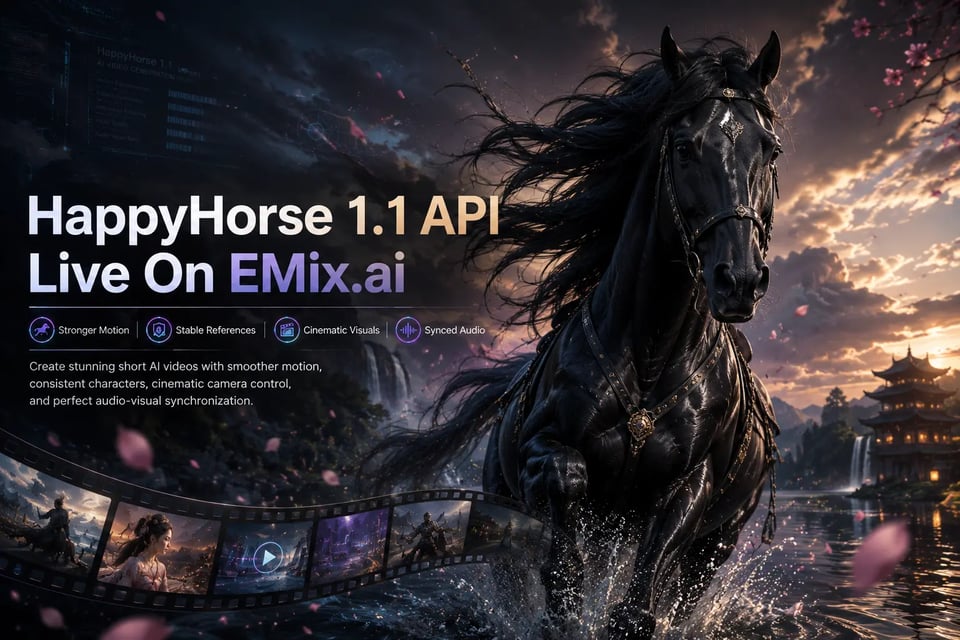
Generate short AI videos with stronger motion, stable references, cinematic detail, and synchronized sound through HappyHorse 1.1 API on EMix.ai.

Hero section demo image showing interface components

Generate AI Videos with Text Image and Reference Inputs in HappyHorse 1.1 API

HappyHorse 1.1 is an upgraded AI video generation model from Alibaba’s HappyHorse model family, built for short-form video creation with stronger motion expressiveness, more stable subject consistency, improved prompt understanding, enhanced visual realism, and richer audio-video synchronization. It is especially useful for ads, ecommerce clips, dialogue scenes, creator videos, short drama concepts, and cinematic previews where sound, motion, and visual identity need to work together. For developers and creative teams, HappyHorse 1.1 API on EMix.ai provides a practical way to build these video generation capabilities into repeatable content workflows.

Text to Video with HappyHorse 1.1 API

Text to video is suitable when the entire scene can be described through a prompt. Users can define the subject, action, camera movement, lighting, mood, dialogue, sound effects, and pacing to generate a short video directly from written direction.

Image to Video with Happy Horse 1.1 API

Image to video works best when a product photo, character portrait, scene frame, or branded visual already provides the core identity. The model can animate the uploaded image while helping preserve key shapes, faces, materials, colors, and visual details.

Reference to Video with HappyHorse-1.1 API

Reference to video is designed for workflows that need stronger visual control across characters, products, outfits, environments, or storyboard-style assets. Multiple references can guide subject identity, scene composition, and visual continuity while the prompt controls motion, dialogue, sound, and camera direction.

How HappyHorse 1.1 API Improves on HappyHorse 1.0 for AI Video Creation

Smoother Action and Stronger Motion Control in HappyHorse 1.1 API

More Reliable Multi-Reference Fusion with Happy Horse 1.1 API

Better Prompt Understanding in HappyHorse-1.1 API Generation

More Realistic Character Detail in HappyHorse 1.1 API Videos

Richer Audio Expression with Happy Horse 1.1 API

HappyHorse 1.1 vs HappyHorse 1.0 vs Seedance 2.0 for Lip Sync Motion and Scene Stability

HappyHorse 1.1: Stronger Lip Sync and Cleaner Scene Stability

HappyHorse 1.0: Clear Mood Capture with Less Refined Motion Control

Seedance 2.0: Cinematic Color and Expressive Facial Delivery

How to Get Started with HappyHorse 1.1 API on EMix.ai

  • Step 1: Create an Account and Get Your HappyHorse 1.1 API Key

  • Step 2: Select HappyHorse 1.1 API for Video Generation

  • Step 3: Configure Your HappyHorse 1.1 API Request

  • Step 4: Submit the HappyHorse 1.1 API Task

  • Step 5: Retrieve the HappyHorse 1.1 API Output

Where HappyHorse 1.1 API Fits in Real Video Production

Short Drama Storytelling with HappyHorse 1.1 API

Ecommerce Ad Creation with HappyHorse-1.1 API

Brand Campaign Videos with Happy Horse 1.1 API

CG Previz and Cinematic Concepts with HappyHorse 1.1 API

What Makes EMix.ai a Better Choice for HappyHorse 1.1 API

Complete HappyHorse 1.1 API Documentation for Clear Integration

EMix.ai provides complete HappyHorse 1.1 API documentation to help developers understand authentication, request structure, supported inputs, generation settings, task handling, and output retrieval. Clear documentation reduces setup uncertainty and helps teams move from initial testing to stable integration more efficiently.

Cost-Effective HappyHorse-1.1 API Access for Scalable Creation

HappyHorse-1.1 API on EMix.ai gives teams a more affordable way to test prompts, generate campaign variations, and build repeatable AI video workflows. This is useful for ecommerce ads, brand clips, short drama tests, social content, and CG previews where frequent generation needs to stay practical.

Flexible Happy Horse 1.1 API Workflows for Different Video Inputs

Our platform supports Happy Horse 1.1 API workflows across text-to-video, image-to-video, and reference-to-video use cases. Teams can work with prompts, uploaded images, product references, character assets, environment frames, and storyboard-style inputs depending on the video generation scenario.

24/7 Service for HappyHorse 1.1 API Deployment

EMix.ai provides 24/7 service for HappyHorse 1.1 API users, helping teams handle integration questions, generation issues, and production workflow needs more reliably. For developers building video tools, marketing systems, ecommerce workflows, or internal creative platforms, round-the-clock support helps keep deployment and scaling smoother.

FAQs About HappyHorse 1.1 API

Q

What can I create with HappyHorse 1.1 API?

HappyHorse 1.1 API can be used to create short AI videos for ecommerce ads, brand campaigns, short drama clips, dialogue scenes, product showcases, CG previews, social media content, and cinematic concept videos. It is especially useful when the output needs stronger motion, stable subject identity, and synchronized audio-visual performance.

Q

How is HappyHorse 1.1 better than HappyHorse 1.0?

HappyHorse 1.1 improves on HappyHorse 1.0 across motion expressiveness, subject consistency, multi-reference fusion, instruction following, visual quality, cinematic camera language, and audio-visual synchronization. These upgrades make it more suitable for production workflows that require smoother action, clearer scene logic, more stable references, and better dialogue timing.

Q

Does HappyHorse 1.1 API support different input types?

Yes. HappyHorse 1.1 API can support text-to-video, image-to-video, and reference-to-video workflows. Developers can start from a written prompt, an uploaded image, or multiple reference assets depending on whether the task needs scene generation, product animation, character consistency, or storyboard-style control.

Q

Is Happy Horse 1.1 API suitable for product and ecommerce videos?

Happy Horse 1.1 API is suitable for ecommerce video generation because it can help preserve product details, brand elements, material texture, color, and visual identity while adding motion. This makes it useful for product ads, livestream-style clips, product showcases, campaign variations, and short promotional videos.

Q

Can HappyHorse-1.1 API handle dialogue and lip-sync scenes?

HappyHorse-1.1 API is useful for dialogue-driven clips where speech timing, facial expression, emotional tone, and audio-visual alignment matter. It can support short drama scenes, presenter-style clips, character conversations, localized video content, and dialogue-based marketing videos.

Q

Can HappyHorse 1.1 API keep characters and references consistent?

HappyHorse 1.1 API can help maintain character identity, product appearance, environment details, outfits, and storyboard references through stronger multi-reference understanding. This is important for recurring characters, brand assets, ecommerce campaigns, multi-scene concepts, and production workflows that need visual continuity.

Q

What video settings does HappyHorse 1.1 API support?

HappyHorse 1.1 API can support flexible video generation settings such as text-to-video, image-to-video, reference-to-video, multi-image reference, flexible aspect ratios, and 720p / 1080p generation. Available settings can depend on the selected EMix.ai workflow, so developers should check the latest API docs before integration.

Q

How do developers start using HappyHorse 1.1 API on EMix.ai?

Developers can start by creating an EMix.ai account, getting an API key, selecting HappyHorse 1.1 API, configuring the request with prompts or reference assets, submitting the generation task, and retrieving the final video output. This workflow is suitable for apps, ecommerce tools, marketing systems, creative platforms, and internal video production pipelines.

Q

Why choose EMix.ai for HappyHorse 1.1 API?

EMix.ai provides a practical way to work with HappyHorse 1.1 API through complete API documentation, cost-effective workflows, flexible input support, and 24/7 service. This helps teams move from early testing to production deployment more efficiently.