The text prompt or description for the video.
Drag, paste, or click to upload
JPEG · PNG · WEBP · JPG · GIF · up to 30MB · max 9 files
A list of input image URLs.
Drag, paste, or click to upload
MP4 · QUICKTIME · X-MATROSKA · up to 50MB · max 3 files
A list of input video URLs. Furthermore, the total length of the three videos must not exceed 15 seconds.
Drag, paste, or click to upload
MPEG · WAV · up to 15MB · max 3 files
A list of input audio URLs. Furthermore, the total length of the three audios must not exceed 15 seconds.
Whether to generate AI audio synchronized with the video.
The output video resolution.
The aspect ratio of the generated video.
Video duration in seconds.
Use online search
A configurable parameter. Defaults to true in the Playground.
The text prompt or description for the video.
Drag, paste, or click to upload
JPEG · PNG · WEBP · JPG · up to 30MB · max 9 files
A list of input image URLs.
Drag, paste, or click to upload
MP4 · QUICKTIME · X-MATROSKA · up to 50MB · max 3 files
A list of input video URLs. Furthermore, the total length of the three videos must not exceed 15 seconds.
Drag, paste, or click to upload
MPEG · WAV · X-WAV · AAC · MP4 · OGG · up to 15MB · max 3 files
A list of input audio URLs. Furthermore, the total length of the three audios must not exceed 15 seconds.
Whether to generate AI audio synchronized with the video.
The output video resolution.
The aspect ratio of the generated video.
Video duration in seconds.
Use online search
A configurable parameter. Defaults to true in the Playground.
Seedance 2.0 API for Realistic Human and Multimodal Video Generation
Create realistic human videos and cinematic short-form content from prompts, images, audio, and reference assets with Seedance 2.0 API and Seedance 2.0 Fast API on EMix.ai.
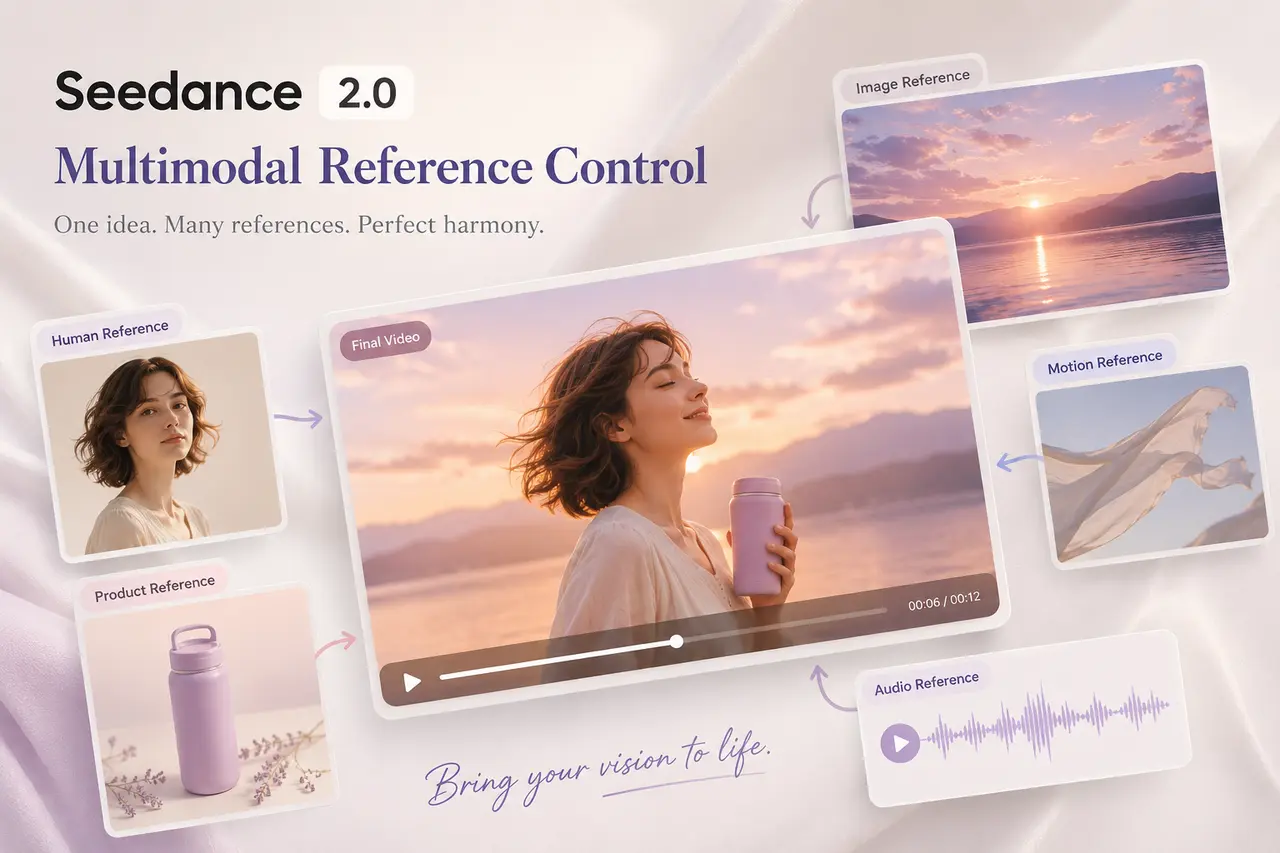
Choose the Right Seedance 2.0 API Model for Your Workflow
Seedance 2.0 is ByteDance’s multimodal video generation model for creating controllable short videos with stable motion, consistent subjects, realistic human detail, and stronger audio-visual alignment. EMix.ai provides two API options for different production priorities: Seedance 2.0 API for quality-focused generation, and Seedance 2.0 Fast API for faster testing and creative iteration. Teams can choose the version that fits their workflow before building realistic human videos, product demos, social clips, brand visuals, or automated creative tools.
Seedance 2.0 API
Seedance 2.0 API is the better choice when the workflow needs stronger output quality, more stable reference control, and polished cinematic results. It is suitable for realistic human video generation, commercial product scenes, branded campaigns, short-form storytelling, music visuals, and production use cases where motion stability, subject consistency, and visual detail matter more than fast draft speed.
Seedance 2.0 Fast API
Seedance 2.0 Fast API is built for faster generation and more efficient creative iteration. It works well for prompt testing, early concept exploration, social content trials, draft video creation, and workflow validation before selected ideas move into more refined production with Seedance 2.0 API. For teams comparing multiple video directions, Seedance 2.0 Fast API helps reduce waiting time while keeping the workflow within the same Seedance 2.0 model family.
Multimodal Input Control for Seedance 2.0 API and Seedance 2.0 Fast API On EMix.ai
Seedance 2.0 API and Seedance 2.0 Fast API support flexible multimodal input control for AI video generation. Developers can use text prompts, image references, video references, and audio references to guide character identity, motion, camera rhythm, visual style, and audiovisual mood. Seedance 2.0 API is suitable for higher-quality cinematic output, realistic human videos, and more controlled production workflows, while Seedance 2.0 Fast API is useful for quick testing, faster draft generation, and rapid creative iteration. Specific supported formats, reference limits, parameter names, model options, and input requirements should be checked in the latest EMix.ai API documentation.
Text Prompt Input for Seedance 2.0 API and Seedance 2.0 Fast API
Text prompt input is the most direct way to start video generation with Seedance 2.0 API or Seedance 2.0 Fast API. Users can describe the subject, action, scene, lighting, camera movement, visual style, and output constraints in natural language, allowing the model to generate a complete short video from written direction. Seedance 2.0 Fast API can be used for quick prompt exploration, while Seedance 2.0 API is better suited for refining selected ideas into more polished cinematic results.
Image Reference Input for Seedance 2.0 Video Generation
Image reference input allows users to turn still visuals into generated videos with controlled motion and stronger visual continuity. A product photo can become a dynamic demo, a character portrait can guide realistic human animation, and a scene image can define the background, lighting, and composition. Teams can use Seedance 2.0 Fast API to test image-to-video directions quickly, then use Seedance 2.0 API when the final result needs stronger detail, stability, and production quality.
Video Reference Input with Bytedance Seedance 2.0 API
Video reference input helps guide motion, camera rhythm, action style, or visual transitions based on an existing clip. Bytedance Seedance 2.0 API can use video references to understand how a subject moves, how the camera follows the scene, or how a specific effect unfolds over time. For teams comparing multiple motion directions, Seedance 2.0 Fast API can support faster iteration, while Seedance 2.0 API can be used when the selected reference direction needs more refined cinematic output.
Audio Reference Input for Seedance 2.0 AI API Workflows
Audio reference input can guide rhythm, tone, atmosphere, or voice direction in a generated video workflow. Seedance 2.0 AI API can use music, voice, ambience, or sound effects to help shape scene energy and audiovisual timing, making the final clip feel more connected to the intended sound design. This input method is useful for music videos, dialogue-driven scenes, beat-matched social content, promotional clips, and realistic human video workflows where audio-visual alignment matters.
How Seedance 2.0 API Models Improve Video Control and Generation Quality
Realistic Human Detail in Seedance 2.0 API Generation
Human video quality depends on stable identity, believable motion, and consistent visual detail across frames. Seedance 2.0 API can help preserve facial structure, body posture, clothing consistency, lighting behavior, and natural expression, making human-centered generation more reliable when appearance and motion need to stay coherent throughout the clip.
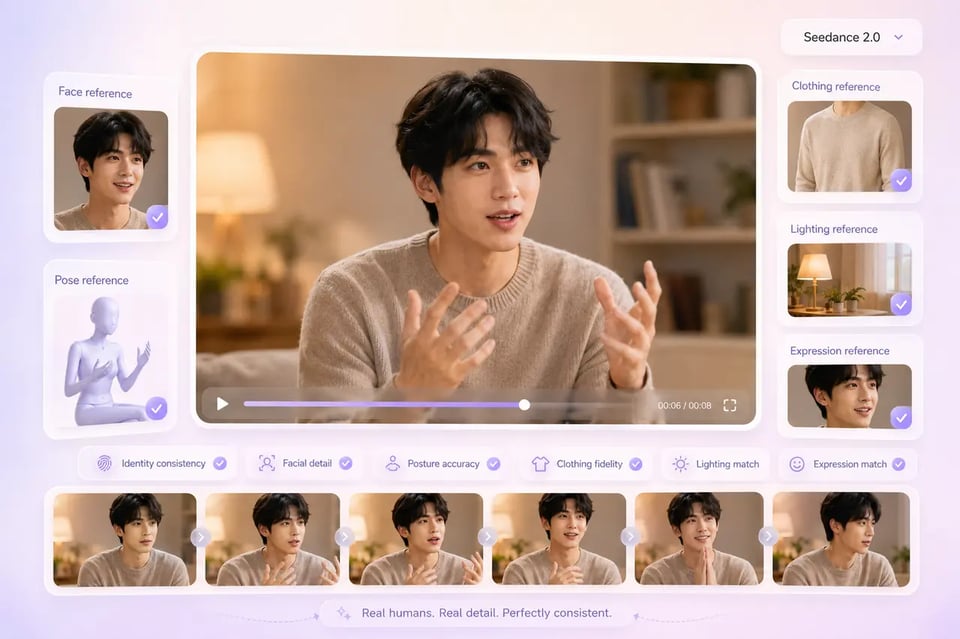
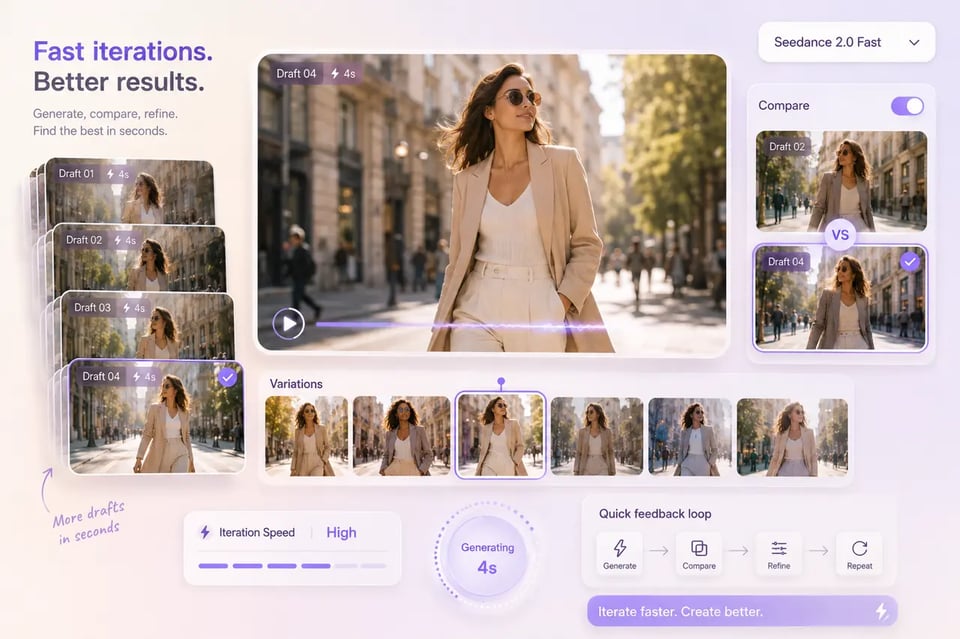
Seedance 2.0 Fast API Speed for High-Frequency Iteration
Fast generation becomes valuable when developers need to evaluate multiple prompts, reference combinations, and direction changes quickly. Seedance 2.0 Fast API shortens the feedback loop during early testing, helping teams compare outputs and refine generation logic before moving selected results into a more quality-focused workflow.
Bytedance Seedance 2.0 API Reference Control Across Multimodal Inputs
Reference understanding gives Bytedance Seedance 2.0 API workflows more control than prompt-only generation. Visual, motion, and audio references can guide subject identity, camera rhythm, scene structure, style direction, and audiovisual tone, helping reduce random output drift and improving alignment with the intended result.
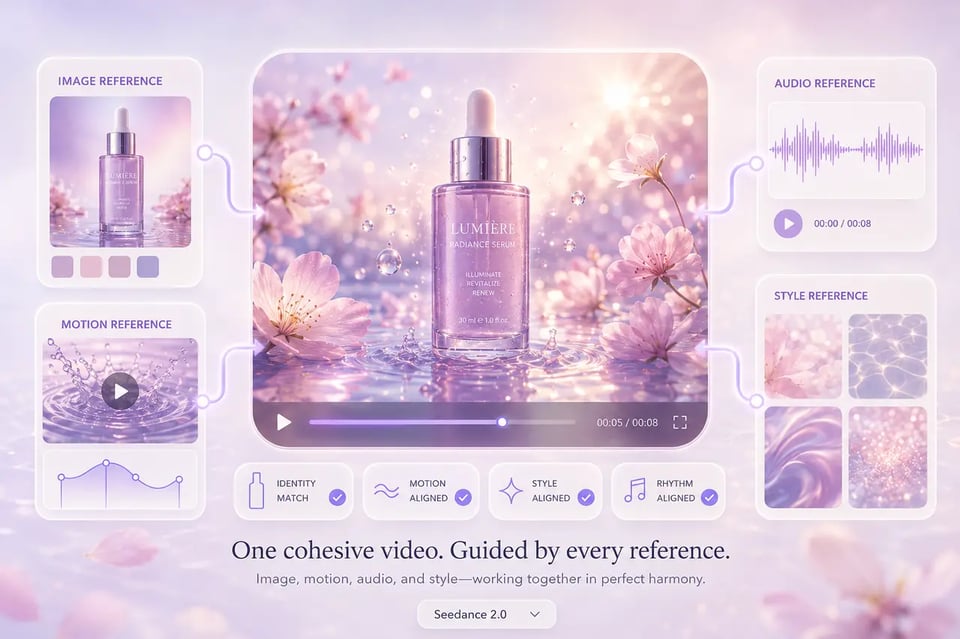
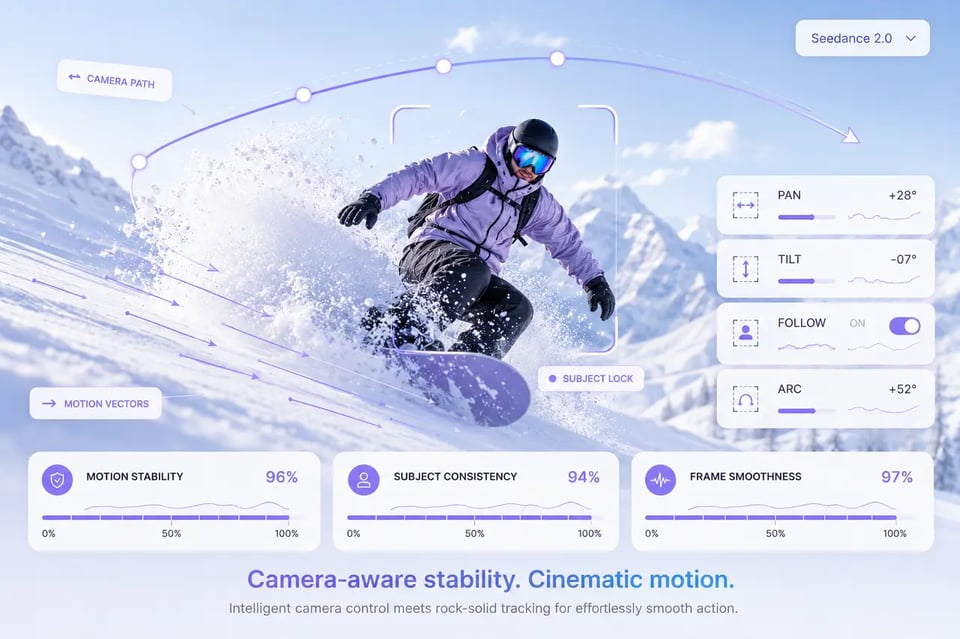
Camera-Aware Motion Stability in Seedance 2 API Workflows
Consistent movement makes generated videos feel more controlled and less accidental. Seedance 2 API workflows can support smoother subject motion, clearer action timing, readable transitions, and stronger camera-aware composition when scenes involve movement, framing changes, or dynamic camera direction.
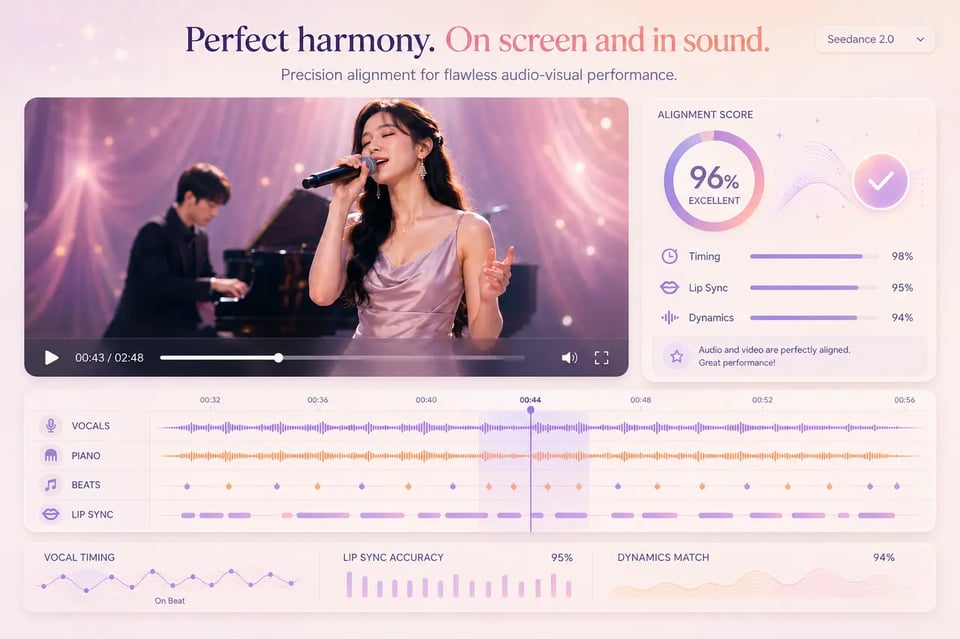
Seedance 2.0 AI API Audio-Visual Alignment Across Video Outputs
A unified relationship between image and sound improves the overall generation result. Seedance 2.0 AI API workflows can connect rhythm, ambience, voice, motion, pacing, and scene energy more closely, making the video feel less like separate visual and audio layers and more like one complete output.
See How Seedance 2.0 Compares Across Leading AI Video Models
Seedance 2.0, Gemini Omni, Veo 3.1, and Kling 3.0 each approach AI video generation from a different direction. Seedance 2.0 focuses on motion quality, realistic human video, multimodal reference control, and faster iteration through its standard and Fast versions. Gemini Omni brings Google’s broader multimodal approach into video creation, with strengths in conversational editing, prompt interpretation, and native audiovisual generation. Veo 3.1 leans toward polished cinematic detail and strong reference consistency, while Kling 3.0 is known for structured scene control, character elements, and planned multi-shot workflows. The comparison below shows how these models differ across video quality, control, motion behavior, and creative fit.
| Comparison Area | Seedance 2.0 | Gemini Omni | Seedance 2.0 Fast | Veo 3.1 | Kling 3.0 |
|---|---|---|---|---|---|
| Vendor | ByteDance | ByteDance | Google DeepMind | Kuaishou | |
| Best Fit | Quality-focused AI video generation with strong motion, multimodal references, realistic human scenes, and subject-level realism | Conversational multimodal video creation, in-context editing, native audio, and prompt-driven creative refinement | Faster draft generation, prompt testing, and high-frequency creative iteration | Cinematic video generation with strong reference consistency, polished scene detail, and integrated audiovisual strengths | Structured video creation with explicit shot control, character elements, and configurable generation behavior |
| Motion Quality | Strong at fluid motion, physical interaction, action scenes, and camera movement | Smooth and cinematic, especially for controlled scene movement and atmospheric shots | Good for simpler or cleaner motion scenes where fast iteration matters | Strong at subtle motion, natural gestures, and polished cinematic movement | Strong in structured scenes, multi-shot planning, and controlled action timing |
| Realistic Human Video | Suitable for human-centered scenes that need natural posture, facial detail, clothing consistency, and believable movement | Good for cinematic human scenes, but recurring identity may need more careful reference guidance | Useful for testing human video directions quickly before refining final outputs | Strong face rendering and reference consistency, especially when maintaining subject appearance matters | Good for character-driven workflows, especially when structured character elements are used |
| Reference Control | Supports multimodal reference workflows with images, videos, and audio guiding identity, motion, style, and rhythm | Strong in-context reference handling through Google’s multimodal workflow, especially for iterative edits and broader creative briefs | Supports similar reference-driven workflows with faster iteration behavior | Strong reference consistency, especially for maintaining character and product appearance | More structured reference handling through character or element-based workflows |
| Camera and Scene Control | Handles camera direction, motion rhythm, scene structure, and cinematic framing through prompts and references | Strong prompt interpretation for camera mood, lighting, composition, and scene-level refinement | Better for exploring camera directions quickly before choosing final versions | Strong at precise camera language, lighting direction, and film-style composition | Strong when the workflow needs explicit shot structure and per-scene planning |
| Audio-Video Experience | Built for connected audiovisual generation, helping motion, rhythm, ambience, and voice feel aligned | Strong native audio generation with ambience, dialogue, music, and sound effects inside the video workflow | Useful for fast tests of audiovisual ideas and social-ready directions | Strong native audio generation with dialogue, ambience, and sound effects integrated into the result | Supports audio-oriented workflows, especially where structured dialogue or character control is needed |
| Output Character | Vivid, dynamic, motion-forward, and well suited to social, commercial, and realistic human video workflows | Polished, prompt-responsive, and useful for creative iteration across text, image, audio, and video context | Fast, practical, and suitable for draft-stage evaluation or high-volume creative testing | Polished, cinematic, detailed, and strong for brand-sensitive or reference-heavy content | Structured, controllable, and suitable for planned multi-shot or character-persistent videos |
How to Start Building with Seedance 2.0 API on EMix.ai
Get started in just a few simple steps
Step 1: Create an EMix.ai Account and Get Your Seedance 2.0 API Key
Sign in to EMix.ai and open the API console to create your Seedance 2.0 API key. This key is used to connect your application, platform, or internal creative workflow with the available Seedance 2.0 model options, including Seedance 2.0 API and Seedance 2.0 Fast API.
Step 2: Test Seedance 2.0 API with Available Credits
Use available credits to run initial tests before deeper integration. Start with simple prompts, then test image references, video references, audio references, realistic human scenes, and motion-heavy outputs to understand how Seedance 2.0 API responds across different generation requirements.
Step 3: Choose Seedance 2.0 API or Seedance 2.0 Fast API
Select the model based on the stage of your workflow. Seedance 2.0 Fast API is useful for quick prompt testing, draft generation, and creative direction comparison, while Seedance 2.0 API is better suited for more polished output, stronger visual stability, realistic human video, and production-focused generation.
Step 4: Check the Latest API Docs Before Preparing Prompts and Reference Assets
Before preparing prompts and reference assets, review the latest EMix.ai API documentation to confirm the current supported input types, file formats, reference limits, model parameters, and required fields. After confirming the API requirements, define the subject, action, scene, lighting, camera movement, style direction, and output constraints so each request can be structured correctly for Seedance 2.0 API or Seedance 2.0 Fast API.
Step 5: Integrate Seedance 2.0 API into Your Video Workflow
After testing model behavior, connect Seedance 2.0 API or Seedance 2.0 Fast API to your product, content pipeline, creator tool, or marketing workflow. Review response handling, generation status, output delivery, and error behavior in the latest EMix.ai API documentation before scaling usage.
Turn Visual Ideas into Realistic Videos with Seedance 2.0 API
Realistic Human Presenter Videos with Seedance 2.0 API
Realistic human presenter videos are becoming a popular format for product explainers, SaaS demos, landing page videos, onboarding content, and brand introductions. Seedance 2.0 API can help generate human-centered clips with more natural posture, facial detail, clothing consistency, and camera-aware movement, making it useful for teams that want presenter-style videos without building a full production setup for every new asset.
AI Storyboard to Video Workflows with GPT Image 2 and Seedance 2.0 API
AI storyboard creation is becoming a popular workflow for creators, agencies, and production teams. Teams can first use GPT Image 2 to generate storyboard frames, character concepts, scene layouts, or visual references, then use Seedance 2.0 API to turn those frames into cinematic video clips with motion, camera direction, and stronger scene continuity. Seedance 2.0 Fast API can also be used during the early storyboard testing stage, helping teams compare different visual directions before refining selected shots into more polished video results.
Product Reveal and Lifestyle Ads with Bytedance Seedance 2.0 API
Bytedance Seedance 2.0 API can support product reveal videos, lifestyle product shots, beauty ads, fashion visuals, consumer electronics demos, and e-commerce campaign clips. A product image or visual reference can guide the model toward more recognizable details, while prompts define camera movement, lighting style, hand interaction, background mood, and commercial pacing for a more polished product-focused result.
Social Reels and Trend-Driven Videos with Seedance 2.0 Fast API
Seedance 2.0 Fast API is useful for social content workflows that need frequent testing and quick creative variation. Teams can use it for TikTok-style clips, Instagram Reels, YouTube Shorts, vertical product hooks, creator-style scenes, and trend-inspired concepts where speed matters during prompt exploration, visual direction testing, and draft-stage content planning.
Short Drama Clips and Character Scenes Using Seedance 2.0 AI API
Short drama content, mini story clips, and character-driven scenes are highly suitable for Seedance 2.0 AI API because they depend on identity stability, emotional expression, and believable motion. Teams can create recurring characters, dialogue-style moments, lifestyle scenes, or narrative hooks where the subject needs to remain visually consistent while the camera, lighting, and action change across the clip.
Shape Better Seedance 2.0 API Videos from Prompt to Motion
Seedance 2.0 API and Seedance 2.0 Fast API can produce stronger video results when the creative direction is clear before generation begins. A better prompt should define the subject, scene, motion, camera behavior, visual tone, and reference purpose, while the selected model should match the workflow stage. The following guide helps developers and creative teams improve realistic human videos, storyboard-to-video workflows, product scenes, social clips, and cinematic short-form outputs.
Shape Better Seedance 2.0 API Videos from Prompt to Motion
Seedance 2.0 API and Seedance 2.0 Fast API can produce stronger video results when the creative direction is clear before generation begins. A better prompt should define the subject, scene, motion, camera behavior, visual tone, and reference purpose, while the selected model should match the workflow stage. The following guide helps developers and creative teams improve realistic human videos, storyboard-to-video workflows, product scenes, social clips, and cinematic short-form outputs.
Define the Main Subject Clearly Before Using Seedance 2.0 API
A strong Seedance 2.0 API prompt should make the main subject easy to identify from the start. Describe who or what appears in the frame, what action happens, where the scene takes place, and which visual details should remain stable. This helps reduce random interpretation and gives the model a clearer path for generating a controlled video result.
Use Seedance 2.0 Fast API When Creative Direction Is Still Changing
Seedance 2.0 Fast API is better suited for early testing, draft creation, and prompt comparison. Teams can use it to explore camera language, visual style, motion ideas, and reference combinations before choosing the strongest direction. Once the concept is clearer, Seedance 2.0 API can be used for the version that needs more polished output and stronger visual stability.
Prepare Dreamina Seedance 2.0 API Style References with a Clear Purpose
Dreamina Seedance 2.0 API workflows often highlight the value of reference-driven video creation, and the same principle applies when preparing assets for EMix.ai. Each reference should serve a clear role, such as anchoring a character, defining a product, guiding a scene style, shaping motion, or setting an audiovisual mood. Current supported reference types, file requirements, and limits should always be checked in the latest EMix.ai API documentation.
Keep Realistic Human Video Prompts Focused on Stable Details
Realistic human video generation becomes more reliable when the prompt focuses on identity, posture, facial expression, clothing, lighting, and natural movement. Avoid adding too many characters, actions, camera moves, or scene changes in one request. A cleaner prompt structure can help Seedance 2.0 AI API workflows preserve believable human appearance and motion across the clip.
Build Storyboard-to-Video Workflows with GPT Image 2 and Seedance 2 API
Storyboard-driven creation works better when the visual plan is prepared before video generation. Teams can use GPT Image 2 to create character concepts, keyframes, scene layouts, or shot references, then use Seedance 2 API to add movement, camera direction, lighting changes, and scene rhythm. This workflow gives the final video a stronger visual foundation than starting from text alone.
Refine Camera, Motion, and Audio Direction Before Final Generation
Final outputs benefit from prompts that describe how the scene should move, not only what should appear. Slow push-ins, tracking shots, handheld movement, close-ups, ambience, voice tone, and music rhythm should be included only when they support the scene. Clear motion and audio direction helps Seedance 2.0 API and Seedance 2.0 Fast API create videos that feel more intentional, stable, and production-ready.
Why Choose EMix.ai for Seedance 2.0 API Integration
Test Seedance 2.0 API with Available Credits
EMix.ai provides available credits so developers can test Seedance 2.0 API before deeper integration. Teams can evaluate prompt behavior, realistic human video quality, image-to-video results, multimodal references, motion stability, and audio-visual performance before deciding how to use the model in a larger workflow.
Choose Between Seedance 2.0 API and Seedance 2.0 Fast API
EMix.ai supports both Seedance 2.0 API and Seedance 2.0 Fast API, giving teams more control over quality and speed. Seedance 2.0 Fast API is useful for quick prompt testing, draft generation, and creative direction comparison, while Seedance 2.0 API is better suited for polished outputs, stronger visual stability, and realistic human video generation.
Realistic Human Video Support for Seedance 2.0 AI API Workflows
EMix.ai supports Seedance 2.0 AI API workflows that focus on realistic human video generation, including AI presenters, product hosts, short drama characters, lifestyle scenes, digital brand representatives, and authorized portrait animation. This makes the platform useful when facial detail, body movement, clothing consistency, and natural expression matter to the final video.
One Platform for GPT Image 2 Storyboards and Seedance 2.0 Video
EMix.ai can support creative workflows that combine image generation and video generation in one broader production process. Teams can use GPT Image 2 to create storyboard frames, character concepts, product visuals, or scene references, then use Seedance 2.0 API to turn selected visuals into cinematic motion, short videos, and realistic human scenes.
Clear Seedance 2.0 API Pricing and Model Documentation
Seedance 2.0 API Pricing on EMix.ai helps teams plan usage before scaling video generation workflows. Developers can also review the latest API documentation for model options, supported inputs, request parameters, output handling, and integration requirements. Actual pricing details, available models, and supported fields should always be checked in the current EMix.ai dashboard and API docs.
24/7 Support for Seedance 2 API Integration
EMix.ai provides support for developers building with Seedance 2 API workflows, from early testing to production integration. Teams can get help with API setup, request behavior, model selection, generation issues, and workflow troubleshooting, making it easier to keep video generation systems stable as usage grows.
FAQs About Seedance 2.0 API On EMix.ai
What is Seedance 2.0?
Seedance 2.0 is a ByteDance video generation model designed for controllable, cinematic, and multimodal AI video creation. It can generate short videos from prompts and reference assets while helping maintain realistic motion, stable subjects, consistent visual style, and stronger audio-visual alignment. On EMix.ai, developers can access the model through Seedance 2.0 API and Seedance 2.0 Fast API.
What is Seedance 2.0 Fast API used for?
Seedance 2.0 Fast API is designed for faster video generation and rapid creative iteration. It is useful when teams need to test prompts, compare visual directions, create draft clips, validate concepts, or explore multiple reference combinations before moving selected results into Seedance 2.0 API for more polished output.
Does Seedance 2.0 support realistic human video generation?
Yes. Seedance 2.0 can support realistic human video workflows such as AI presenters, product hosts, lifestyle scenes, short drama characters, digital brand representatives, and authorized portrait animation. For better results, prompts should clearly describe identity, posture, facial expression, clothing, lighting, motion, and camera direction.
What input types can Seedance 2.0 API use?
Seedance 2.0 API workflows can support multimodal generation based on prompts and reference assets such as images, videos, and audio, depending on the current model endpoint and configuration. These inputs can help guide character identity, product appearance, motion style, scene rhythm, camera direction, and audio-visual mood. Current supported formats, reference limits, required fields, and parameters should always be checked in the latest EMix.ai API documentation.
Can developers build storyboard-to-video workflows with Seedance 2.0 API?
Yes. Developers can build this workflow inside their own product or backend pipeline. They may create storyboard frames with GPT Image 2 or another image model, then use Seedance 2.0 API to generate video from supported reference assets. EMix.ai provides API access, while the workflow logic, asset transfer, and integration setup are handled by the developer. Supported inputs, file formats, and limits should be checked in the latest EMix.ai API documentation.
When should developers use Seedance 2.0 API instead of Seedance 2.0 Fast API?
Seedance 2.0 API is better suited when the final result needs stronger visual stability, more polished motion, realistic human detail, and higher-quality cinematic output. Seedance 2.0 Fast API is better for early testing, prompt exploration, draft creation, and comparing creative directions before selecting a final version to refine.
How does Seedance 2.0 API Pricing work on EMix.ai?
Seedance 2.0 API Pricing on EMix.ai may depend on the selected model, current credit rules, generation settings, and platform availability. Teams should check the latest EMix.ai dashboard for current pricing details before scaling usage. This helps developers evaluate Seedance 2.0 API and Seedance 2.0 Fast API with clearer planning for testing and production workflows.
How can developers improve Seedance 2.0 AI API results?
Better Seedance 2.0 AI API results usually come from clearer prompts, cleaner references, and a more focused generation goal. Define the subject, action, scene, lighting, camera movement, visual tone, and constraints before sending a request. For realistic human videos, avoid overloaded prompts and use references that clearly support identity, posture, motion, and scene consistency.