Text description for the video generation
Drag, paste, or click to upload
JPEG · PNG · up to 10MB · max 1 files
URL of the image to be used for the video
The duration of the generated video in seconds
Resolution of the generated video
Explore different use cases and parameter configurations
The text description of the video you want to generate
The duration of the generated video in seconds
The aspect ratio of the generated video frame
Resolution of the generated video
Explore different use cases and parameter configurations
Kling 3.0 Turbo API for Fast Cinematic Video and Lip Sync
Generate AI videos from prompts or images with faster output, synchronized sound and motion, cinematic visual quality, and efficient Kling 3.0 Turbo API access for real video products.
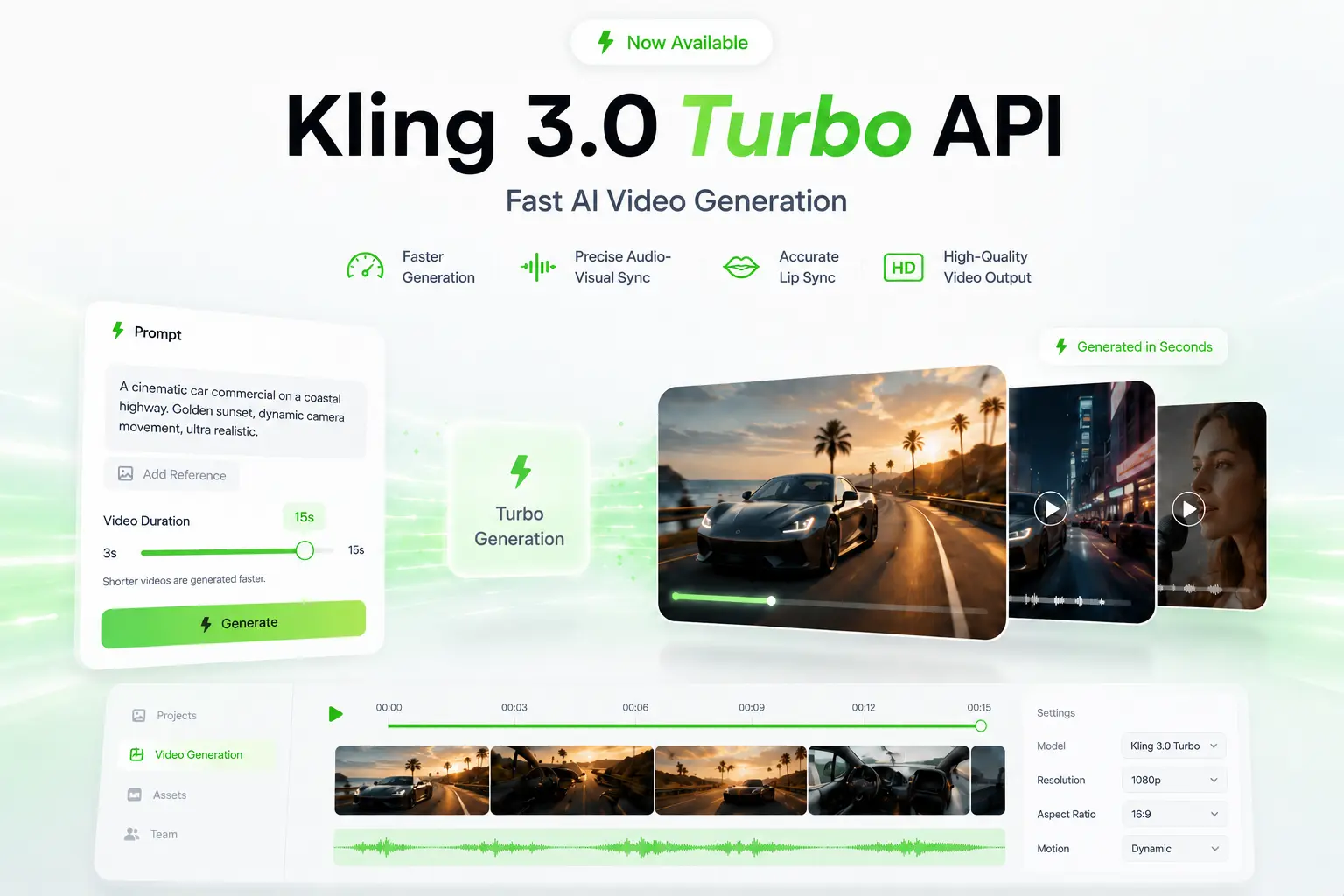
Core Strengths of Kling 3.0 Turbo API for AI Video Generation
Create More Video Directions Faster with Kling 3.0 Turbo API
Speed plays a direct role in how usable an AI video workflow feels. Kling 3.0 Turbo API helps shorten the path from prompt or image input to generated video output, making it easier to review, adjust, and regenerate without slowing down the creative process. For teams that need frequent testing or multiple visual directions, faster turnaround can improve both production efficiency and user experience.
Keep Motion and Sound in Sync with Kling V3.0 Turbo API
Audio-video alignment is essential when generated clips include speech, rhythm, music, or sound-led pacing. Kling V3.0 Turbo API improves the relationship between visual movement and audio timing, helping the final video feel more connected, stable, and believable instead of appearing visually detached from its sound direction.
Produce Cleaner Cinematic Results with Kling V3 Turbo API
Visual quality depends on more than sharp frames alone. Kling V3 Turbo API can create videos with smoother motion, stronger lighting structure, more stable scene atmosphere, and a more polished cinematic presentation. The result is better suited for workflows where generated videos need to look refined enough for review, iteration, and practical creative use.
How to Start Building with Kling 3.0 Turbo API on EMix.ai
Get started with our product in just a few simple steps...
Step 1: Sign In and Get Your Kling 3.0 Turbo API Key
Step 2: Test Kling 3.0 Turbo API in the Playground
Step 3: Deploy Kling 3.0 Turbo API in Your Backend Workflow
Step 4: Bring Kling 3.0 Turbo API into Production Use
What You Can Create with Kling 3.0 Turbo API
Product Launch Videos with Kling 3.0 Turbo API
E-commerce brands and retail teams can create short product launch videos that show a new item in motion, highlight surface details, and present the product in a more dynamic visual setting. Kling 3.0 Turbo API can turn product descriptions, catalog images, campaign visuals, or reference photos into polished clips for product pages, social ads, marketplace listings, and promotional landing pages.
Social Campaign Shorts with Kling V3.0 Turbo API
Marketing teams can generate compact campaign videos built around a clear opening hook, fast visual rhythm, and platform-friendly composition. Kling V3.0 Turbo API works well for sale announcements, seasonal promotions, brand teasers, creator-style clips, and short social videos for fashion, beauty, food, consumer electronics, lifestyle, and local service brands.
Food and Restaurant Promo Clips with Kling V3 Turbo API
Restaurants, cafés, delivery platforms, and food brands can create appetizing short videos from menu photos, dish descriptions, or campaign ideas. Kling V3 Turbo API can support close-up food motion, steam, lighting changes, table scenes, ingredient moments, and polished promotional clips for restaurant pages, delivery listings, social posts, and seasonal menu campaigns.
Travel and Lifestyle Scene Videos with Kling 3.0 Turbo API
Travel, hospitality, and lifestyle teams can create atmospheric videos from destination prompts, hotel visuals, food images, or campaign references. Kling 3.0 Turbo API can generate resort previews, city mood clips, beach scenes, wellness visuals, event teasers, and lifestyle brand content where movement, atmosphere, and visual appeal matter more than complex narration.
Character-Based Story Clips with Kling V3.0 Turbo API
Education, entertainment, and creator platforms can generate short character-led clips for story moments, mascot videos, tutorial scenes, dialogue previews, or narrative snippets. Kling V3.0 Turbo API is useful for creating videos with a clear subject, expressive movement, scene rhythm, and a more engaging format than static illustrations or text-only content.
How to Get Better Results from Kling V3 Turbo API
Follow these helpful tips to get the most out of our platform.
Set a Clear Creative Goal for Kling 3.0 Turbo API
A strong request should begin with the purpose of the video. Instead of only writing objects or style keywords, describe whether the result should be a product reveal, restaurant promo, travel scene, character moment, cinematic opening, or social campaign short. This gives Kling 3.0 Turbo API a clearer direction before details like motion, lighting, camera angle, and pacing are added.
Make the Subject and Action Clear in Kling V3.0 Turbo API Prompts
The main subject should be easy to identify, and the action should be specific enough to guide the video. A product can slowly rotate on a studio table, a dessert can be plated under warm café lighting, or a character can walk into frame and look toward the camera. Clear subject and action details help Kling V3.0 Turbo API create a more focused video instead of loose or unclear movement.
Add Camera Movement for Kling V3 Turbo API Video Control
Camera direction helps shape how the scene feels across time. Users can describe a slow push-in, close-up reveal, smooth pan, side tracking shot, overhead view, gentle orbit, or handheld camera movement. These details give Kling V3 Turbo API a stronger sense of visual flow and help the final video feel more intentional.
Define Lighting and Style for Kling 3.0 Turbo API Outputs
Visual style should match the type of content being created. A product clip may need clean studio lighting, a food video may need warm natural tones, and a travel scene may need soft daylight or cinematic sunset color. Clear lighting and style instructions help Kling 3.0 Turbo API produce a more coherent result instead of a generic animated scene.
Include Timing Cues for Kling V3.0 Turbo API Audio Sync
When sound matters, the prompt should explain how motion and audio should connect. A product reveal can happen on a music beat, a camera move can follow the rhythm, or a character’s expression can match a spoken line. Adding timing cues helps Kling V3.0 Turbo API generate clips where movement, pacing, and audio feel more aligned.
Why Choose Kling 3.0 Turbo API on EMix.ai
Cost-Efficient Kling 3.0 Turbo API Pricing
Kling 3.0 Turbo API is suitable for teams that need repeated video generation, prompt testing, creative variations, and scalable short-form production. EMix.ai gives developers a practical pricing path for exploring video outputs, comparing different requests, and expanding usage as product demand grows. For current billing details, check the latest Kling 3.0 Turbo API pricing information on EMix.ai.
Clear Kling V3.0 Turbo API Documentation for Integration
A stable video generation workflow depends on clear request structure, supported parameters, input rules, task handling, and output retrieval. EMix.ai provides Kling V3.0 Turbo API documentation to help developers understand how to configure requests, manage generation status, process results, and keep implementation aligned with current API capabilities.
24/7 Kling V3 Turbo API Service for Production Workflows
Video products may serve users across different regions, time zones, and usage patterns. EMix.ai supports continuous Kling V3 Turbo API access for teams building creator tools, marketing platforms, e-commerce video systems, and automated content workflows that need reliable generation availability beyond local working hours.
Multiple Kling AI Video Models Available on EMix.ai
EMix.ai provides access to multiple Kling AI video models, giving developers more flexibility when choosing the right model for different video generation needs. Teams can test Kling 3.0 Turbo API for faster workflows while also comparing other Kling model options for quality, control, or production requirements as their video features evolve.